In-Person Courses: Sell Seats, Take Attendance and Certify Attendees
Sell seats in classroom courses from the same platform as your online courses. Each batch has its venue, instructor, days and seats, trainees receive a ticket by email, and attendance taken at the door issues the certificate.
Part of the enterprise plan, on request.
Everything a classroom course needs, from the seat to the certificate
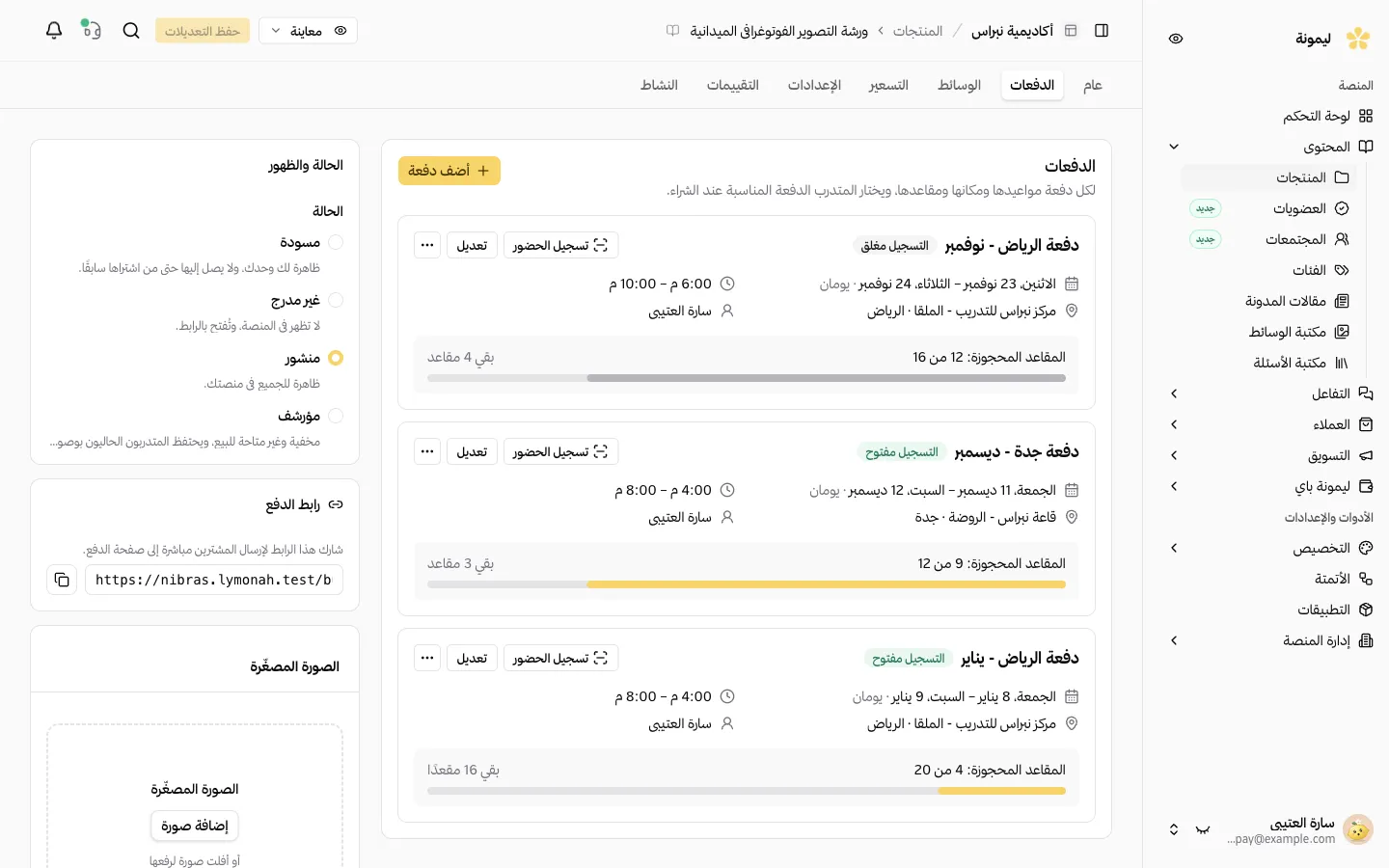
Batches with a venue, instructor and seats
Each batch has its venue with a map link, its instructor, a number of seats and one or more days with their hours. The same course runs again in a new batch without being rebuilt.
One seat for each paid order
The course page lists the batches still ahead with their dates, venue and price, and the seats left once a batch is almost full. A seat is held during checkout, so two buyers can never pay for the last one.
Tickets and calendar files by email
Once the seat is paid, the trainee receives a ticket with its code, the venue’s map link and a calendar file for every day of the batch.
Reminders before each day
Reminders go out by email a day before, two hours before or on the morning of each day, whichever the course switches on.
Attendance at the door
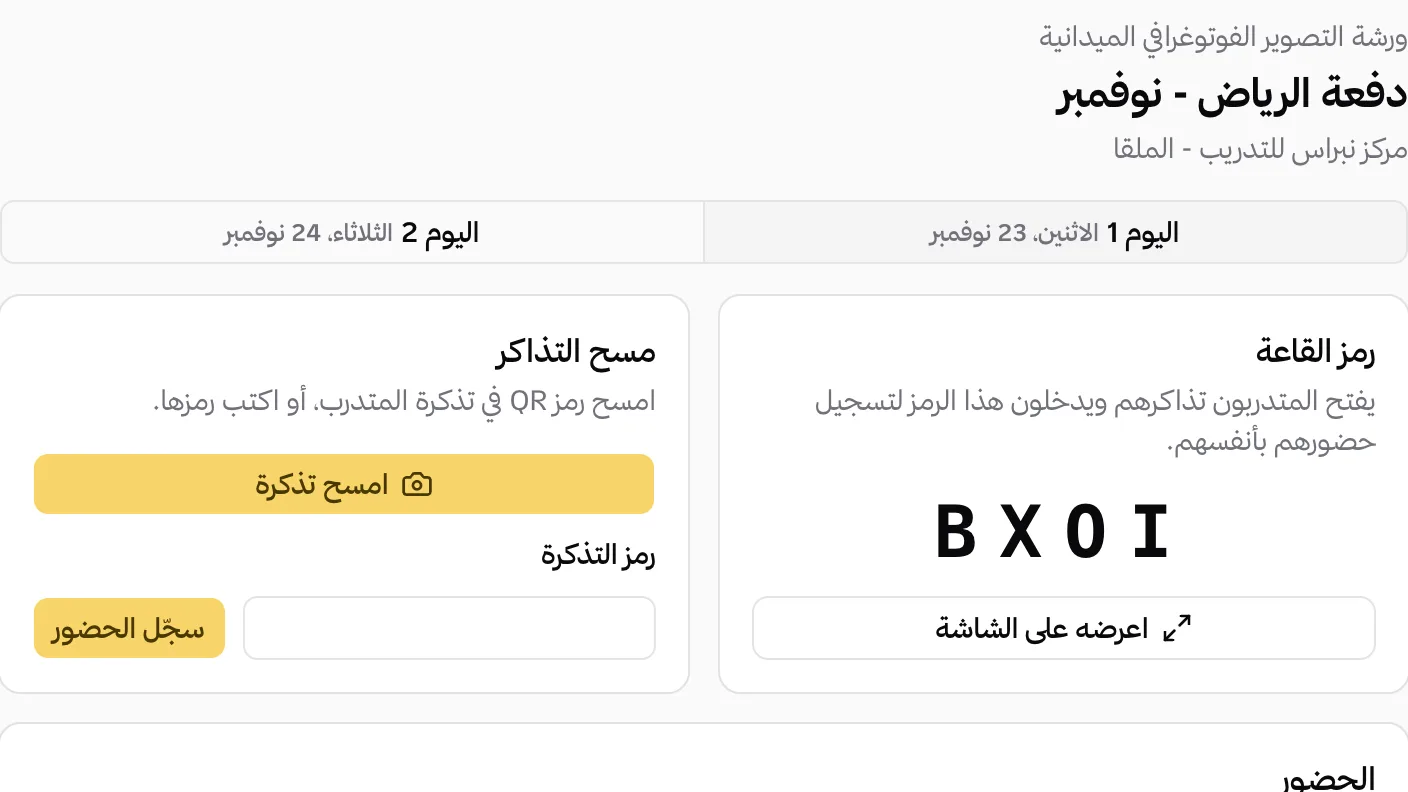
The instructor opens a check-in screen on a phone to scan the ticket’s QR code, type its code or mark the roster by hand. Trainees can also check themselves in by typing the day’s room code.
Certificates for attendees
The course certificate is issued once a trainee meets the attendance rule, every day or at least one, with the same templates and approval as your online courses.
An in-person course in three steps
 01
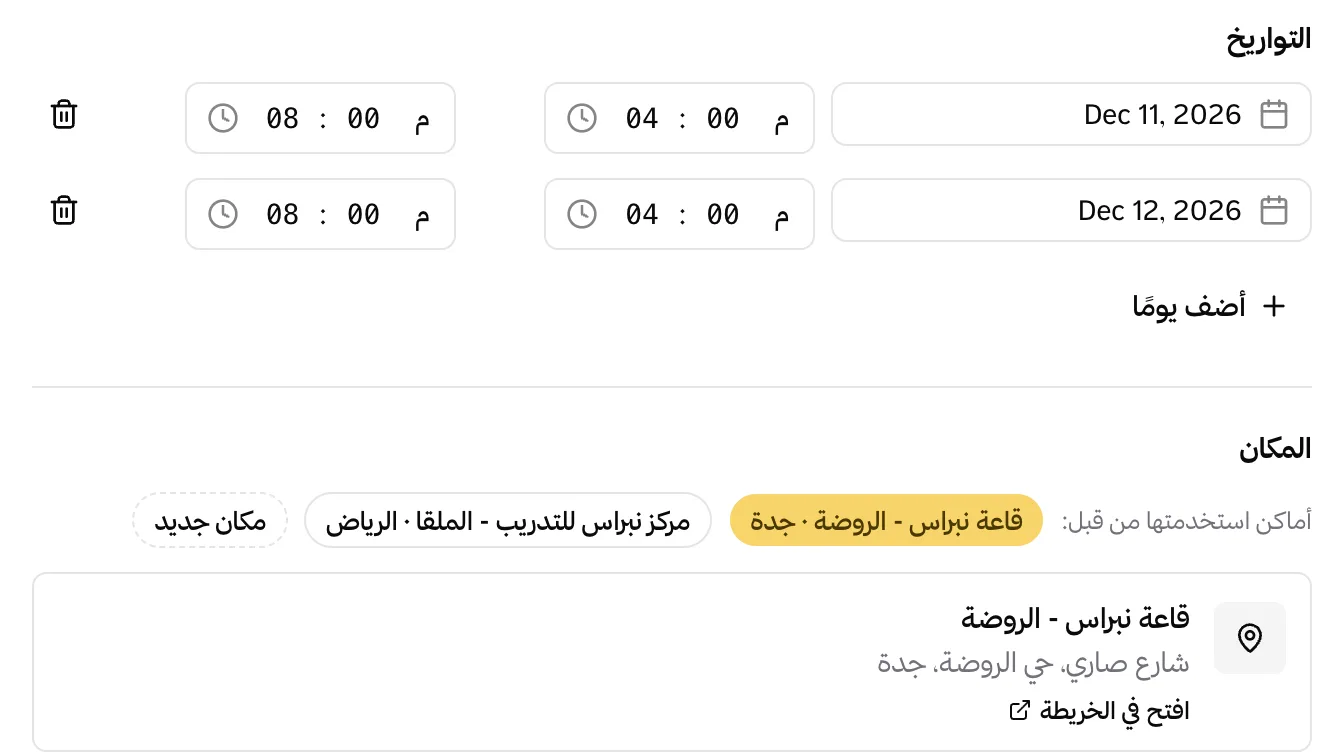
Create the course and its first batch
Add the course, its description and its certificate, then a batch with its venue, instructor, seats and days. The course is published once it has a batch still ahead.
 02
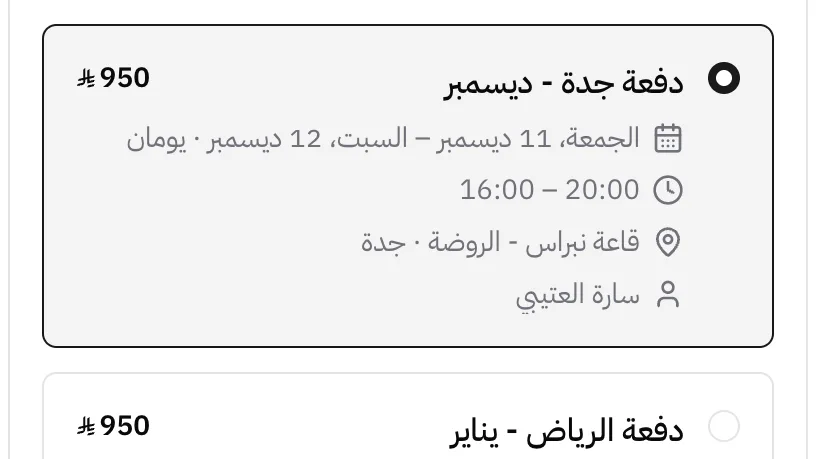
Trainees book and pay for a seat
They choose a batch on your platform, pay at the same checkout as your other products, and receive their ticket and calendar file by email.
 03
Take attendance and issue certificates
On each day the instructor checks trainees in at the door, and the certificate goes to those who meet the attendance rule.
The ticket on the trainee’s phone
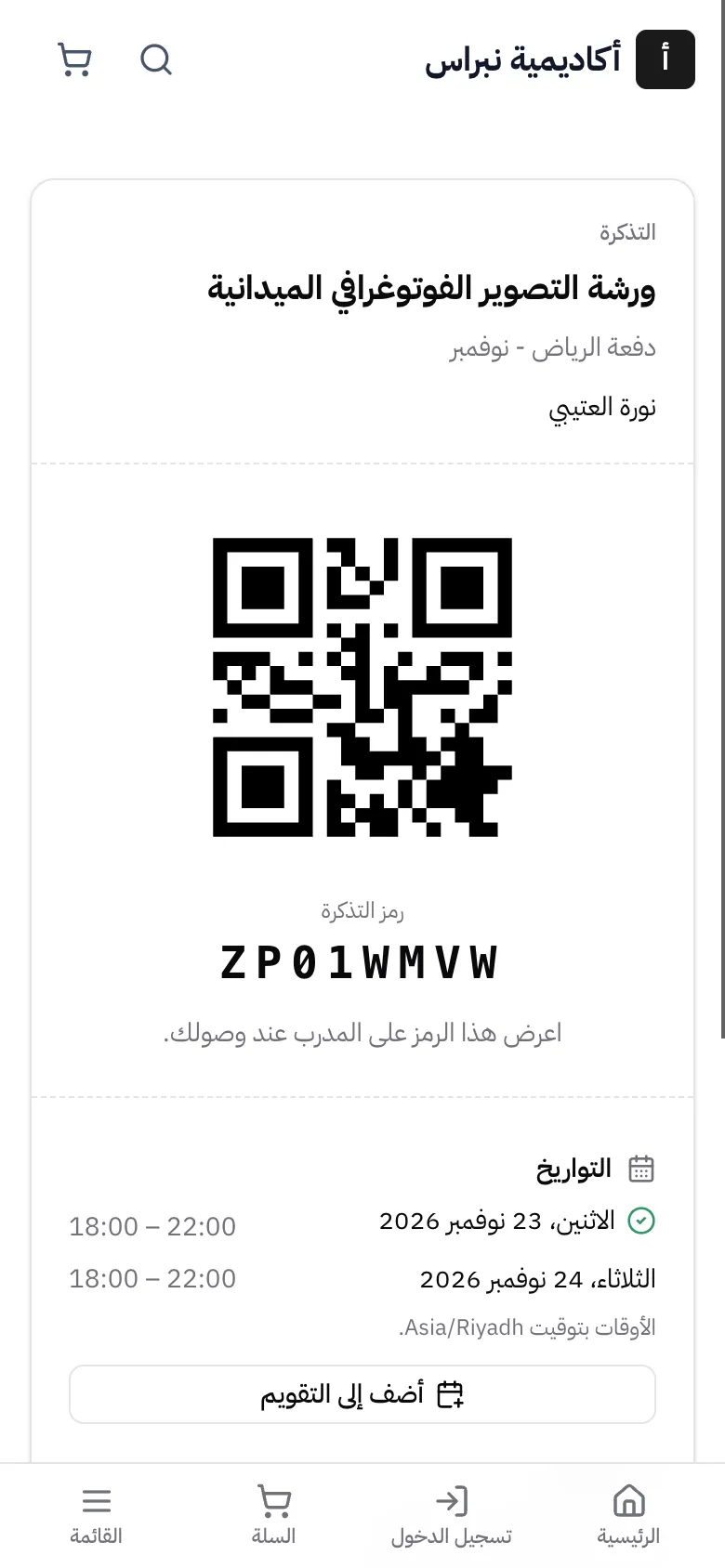
After paying for the seat, the trainee opens a ticket with a QR code, the ticket code, the venue and the days of the batch, and adds every day to their calendar in one step. At the door, the instructor scans the code from the phone.
In-person and online training on one platform
A paid seat enrols the trainee in the course, so in-person trainees sit in the same learner records, segments and reports as your online learners, and only a trainee who attended a day can review the course.
A training centre that sells online courses, trains client teams and runs classroom courses keeps all three on one platform under its own name, with one certificate design and one list of trainees.
When a batch changes
When a day is moved, the attendance already taken on the other days stays with them. Cancelling a batch cancels its seats and emails every registered trainee. Refunds are made per order, so each one stays your decision.
Common questions
- Which plan includes in-person courses?
- In-person courses are part of the enterprise plan. They are turned on by request for platforms on the Professional plan or above, with the rest of your setup.
- How does a trainee check in?
- The instructor scans the QR code on the trainee’s ticket with a phone camera, types the ticket code or marks the roster by hand. A trainee can also check in from their ticket by typing the day’s room code while that day is open.
- Can I limit the number of seats?
- Yes. Each batch has its own number of seats, and a seat is held for the buyer during checkout, so a batch is never sold past its capacity.
- Can I run the same course more than once?
- Yes. Add a new batch with its own venue, instructor, dates and seats. The course page lists every batch still ahead.
- Do attendees get a certificate?
- Yes, once they meet the course’s attendance rule: every day of the batch, or at least one. It uses the same certificate templates and approval as your online courses.
- What happens when a batch is cancelled?
- Its seats are cancelled and every registered trainee is emailed. Refunds are made per order, from the order itself.
Explore more of the platform
- Sell online courses
- Sell digital products
- Sell memberships and subscriptions
- An Arabic learning management system
- Choosing an LMS in Saudi Arabia
- Build your website and its pages
- Learner communities
- For coaches and consultants
- For educators and training centres
- For creators building an audience
- For organizations and corporate training teams
- For training centres training client teams
- Mandatory and compliance training
- Onboarding new employees
- Training for hospitals and clinics
- Training for government entities
- Compliance training for banks and insurers
- Training for retail and branch staff
- How selling a course actually works
- Compare Lymonah with other platforms
- Course platform fees compared
- Everything the platform does
- Payment, advertising and email integrations
- See pricing