What your community includes
The community sits beside your courses and storefront, so learners use one account for both.
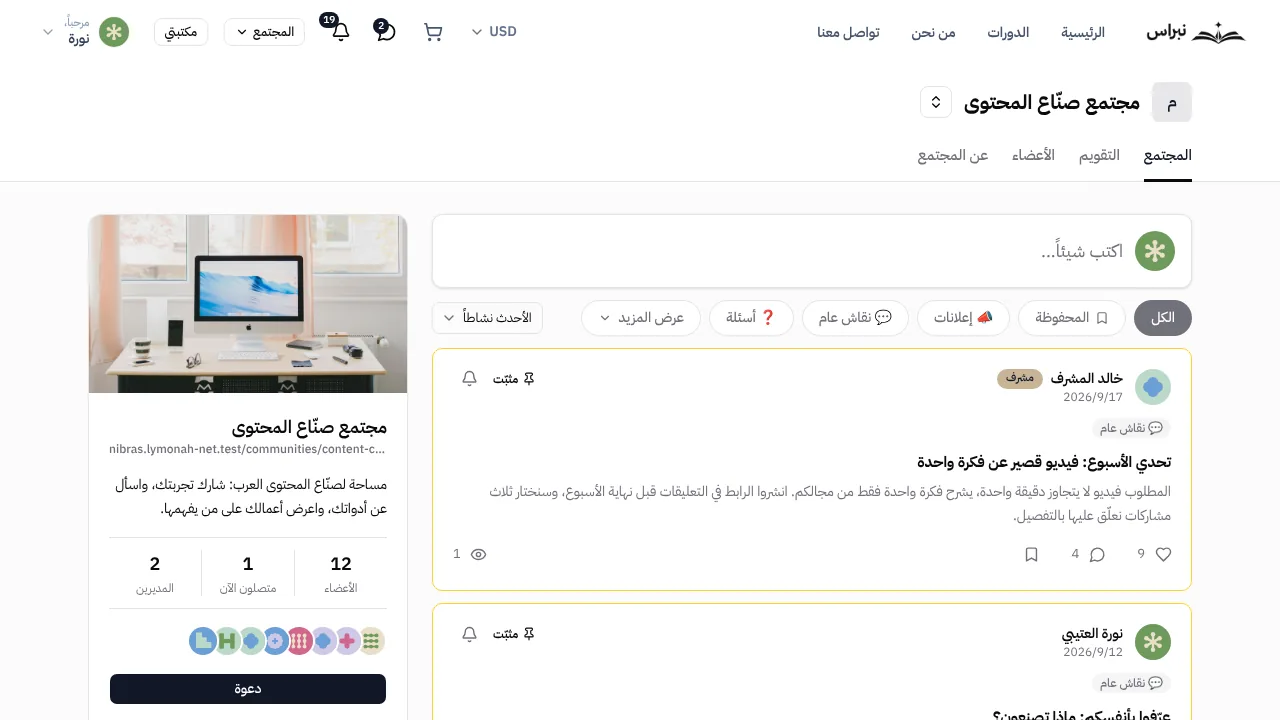
A wall for posts and discussion
Learners post questions, share their work and reply to each other. You pin the posts that matter and sort the rest into categories.
- Posts with images and comments
- Categories and pinned posts
- Likes, saved posts and follow-ups
- Sorting by newest, activity or top posts
Joining tied to what learners buy
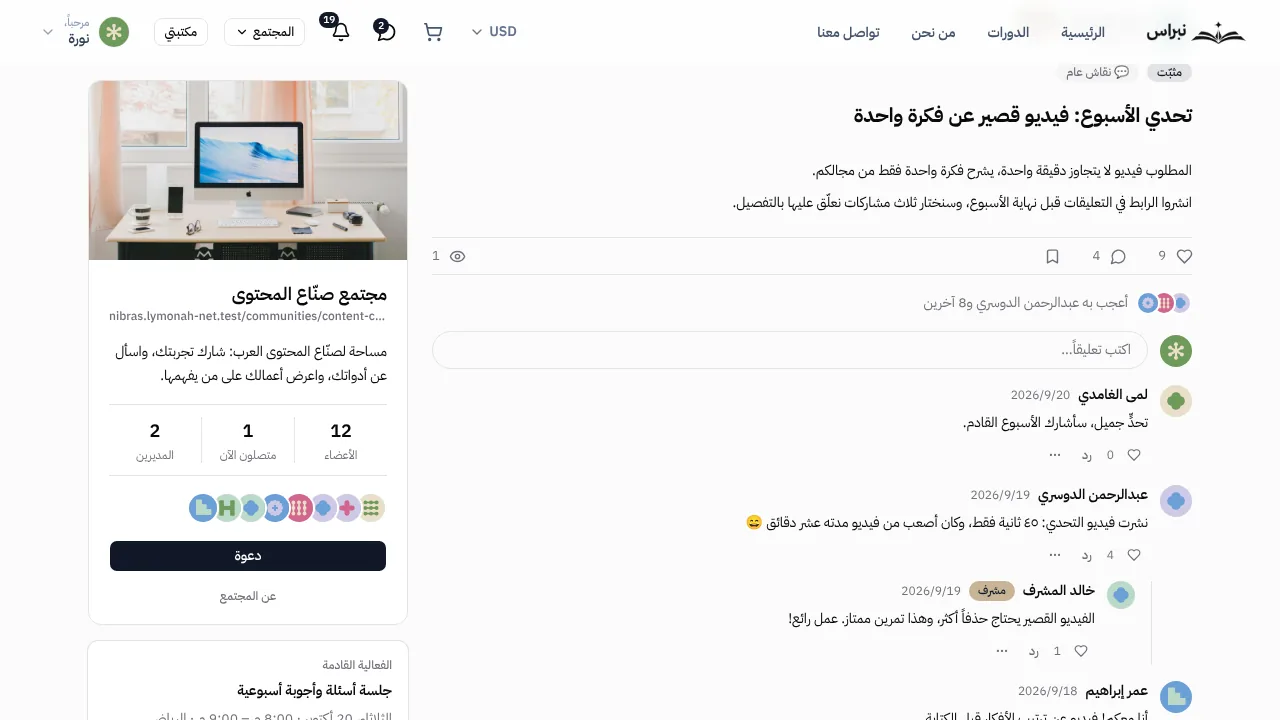
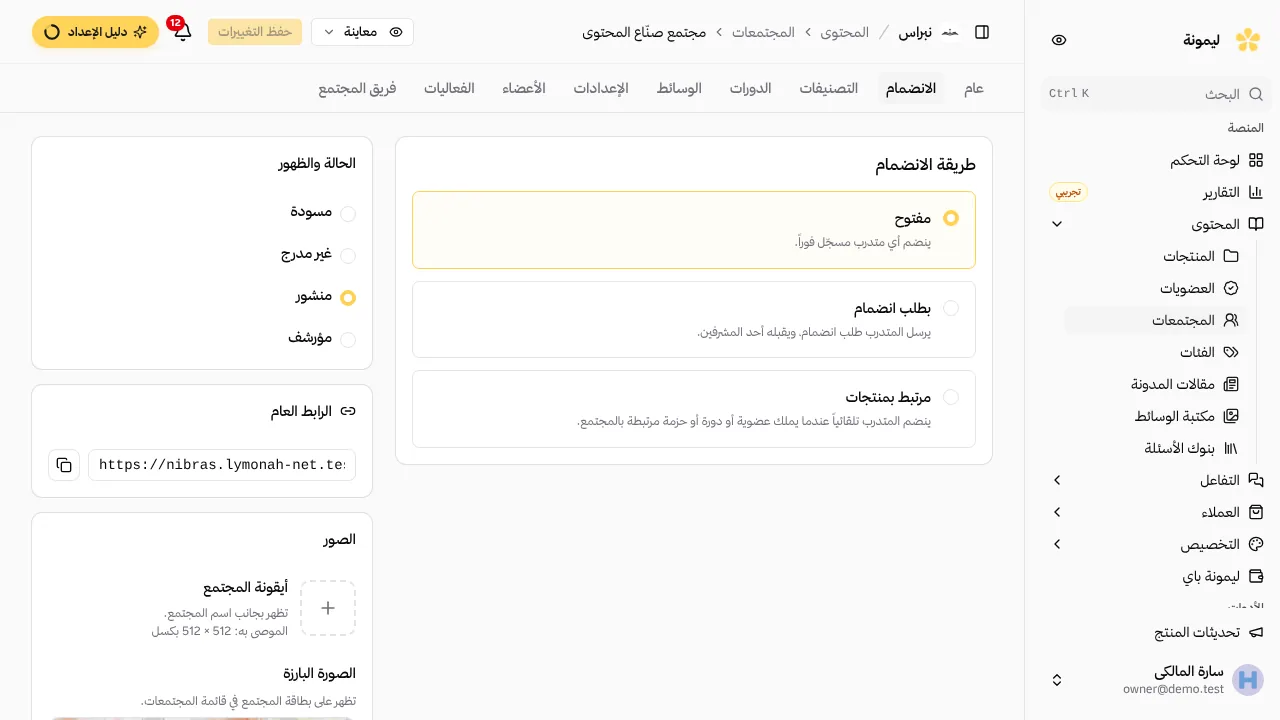
Choose who joins: anyone with an account, learners you approve, or only buyers of selected courses and memberships. Access ends when the subscription does.
- Open joining, approval requests or purchase access
- Join questions for new requests
- A welcome message and community rules
- Linked courses shown inside the community
Live events on the community calendar
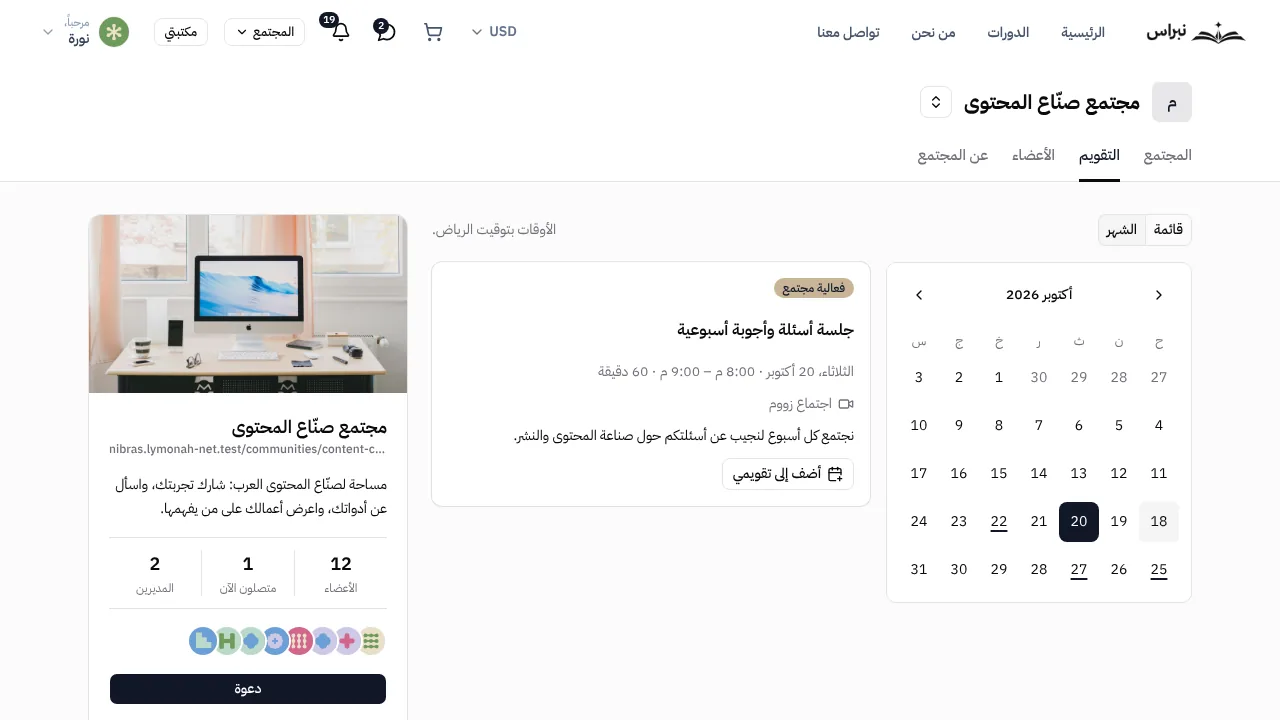
Schedule a session once or on a repeating schedule. Members see it on the calendar and receive a reminder before it starts.
- Zoom or Google Meet links
- Weekly, fortnightly or monthly repeats
- Reminders a day and an hour before
- An add-to-calendar button for members
Moderation tools for you and your team
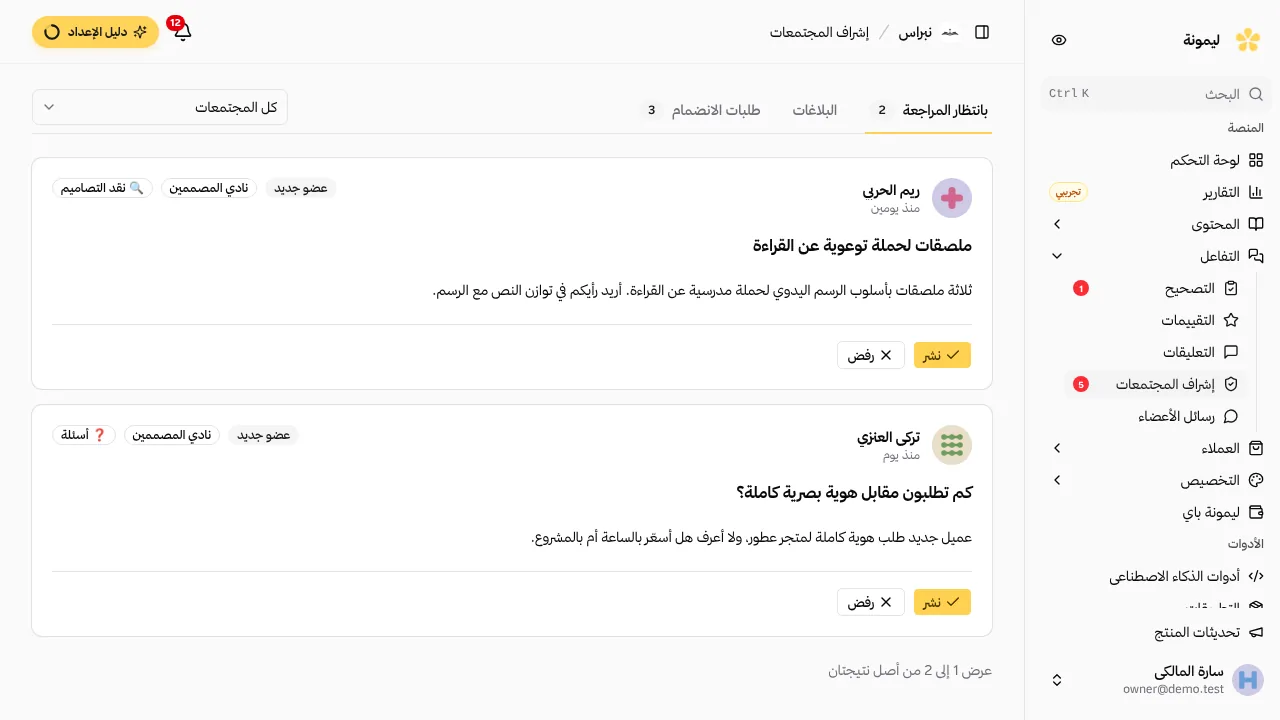
Review reported content, approve posts before they appear and act on a member from one queue. Each action is recorded with who took it.
- Reports from members
- Post approval before publishing
- Mute, remove or ban a member
- Managers and moderators from your team
More in every community
Settings you can switch on or off for each community separately.
Member directory
Member profiles with a photo and short bio, filtered by moderators and new members.
Direct messages
Private conversations between members, which you can turn off for any community.
Join requests
Answers to your join questions, reviewed before a learner enters.
Community rules
Rules shown on the community page for every member to read.
Announcements
Pinned posts at the top of the wall for news and updates.
Notifications
Alerts for replies, followed posts and upcoming events.
Linked courses
The courses connected to a community, listed on its own tab.
Content reports
A report button on every post, comment and conversation.
Frequently asked questions
- Which plans include communities?
- Growth includes one community and Professional includes three. More communities are available as an add-on from Growth.
- Can a community be for paying learners only?
- Yes. Set the join method to purchase access and choose the courses or memberships that grant it. A buyer joins automatically, and access ends when a membership ends or an order is refunded.
- Does the community appear on my own domain?
- Yes. The community is part of your storefront, so it opens on your domain with your logo and colours, and learners sign in with the same account they use for their courses.
- Can I approve posts before they appear?
- Yes. Turn on post approval and new posts wait in the moderation queue until you or a moderator approves them. You can also review only the first posts of new members.
- Who can moderate the community?
- You and the team members you add as managers or moderators. Moderators review reports and posts; managers can also change the community settings.
- How do live events work?
- Add an event with a Zoom or Google Meet link, set it to repeat if needed, and members receive a reminder a day and an hour before it starts.
- Can I turn off direct messages?
- Yes. Direct messages, the member directory and comments each have their own setting in every community.
- What is the difference between a community and a membership?
- A membership is a product learners pay for monthly or yearly. A community is where they talk to each other. You can link the two, so every subscriber joins the community and leaves it when the subscription ends.
- Can learners use the community on their phones?
- Yes. The community works in the phone browser on your storefront, with the same posts, events and messages as on a computer.
- How do learners find the community?
- Each community has its own link on your domain, and members can share it from the invite button. Whoever opens it joins through the join method you chose.
- What happens to the community if I change plans?
- Posts and members stay. On a plan without communities, members can read the community but cannot post or comment until you move to a plan that includes it.
Explore more of the platform
- Sell online courses
- Sell digital products
- Sell memberships and subscriptions
- An Arabic learning management system
- Build your website and its pages
- For coaches and consultants
- For educators and training centres
- For creators building an audience
- For organizations and corporate training teams
- How selling a course actually works
- Compare Lymonah with other platforms
- Everything the platform does
- Payment, advertising and email integrations
- See pricing