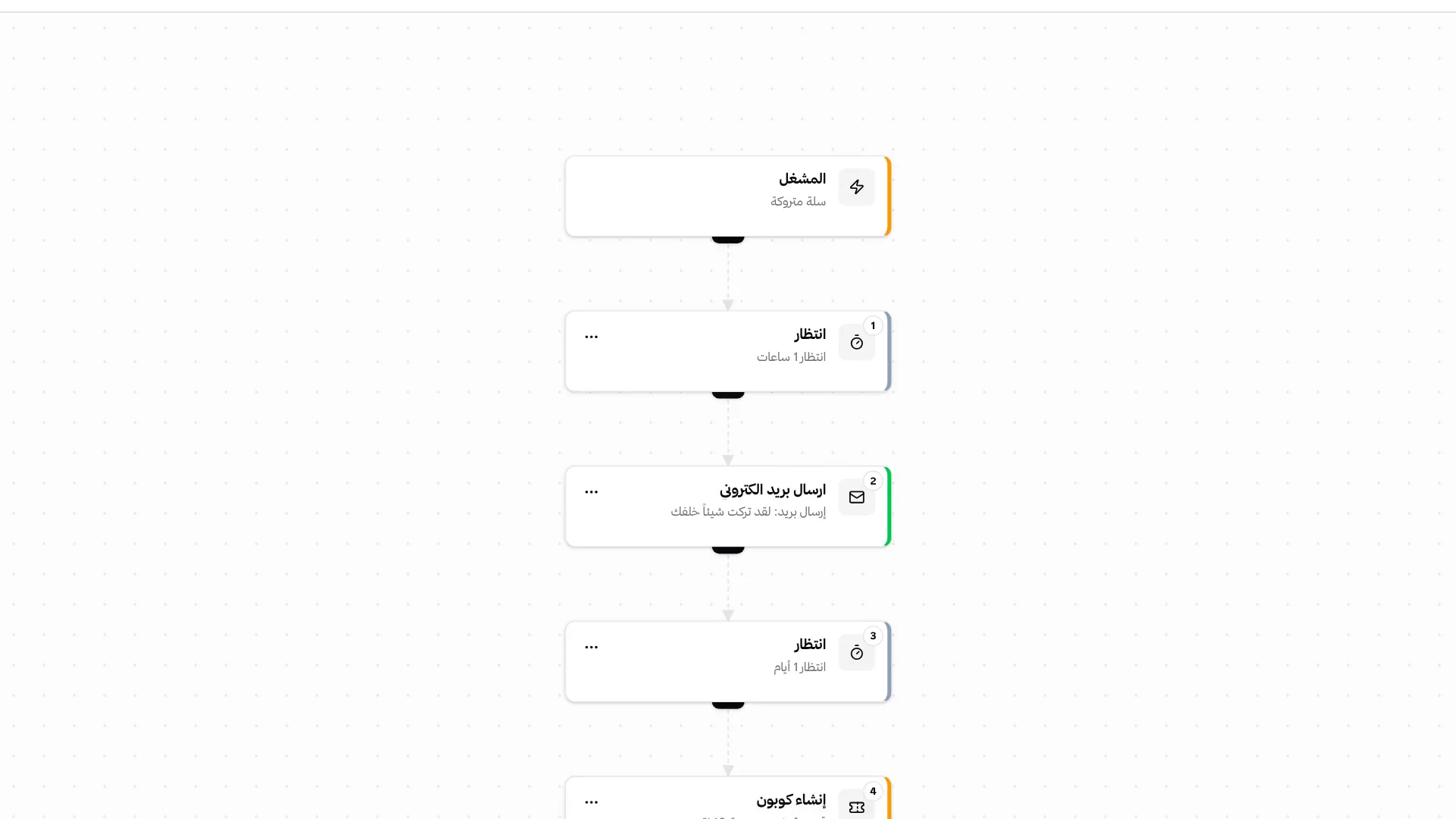
The marketing journey from first contact to sale
Audience data, forms, automations and promotions work together inside Lymonah.
The right audience for every follow-up
Group customers by purchases, course progress or tags. Each segment updates when customer activity changes.
- Purchases and order history
- Course progress and completion
- Customer details and tags
- Segments that update automatically
Forms that turn interest into customer data
Collect the details your business needs without code. Every response is saved and can start an automatic follow-up.
- Fields that match your business
- Published, paused and draft forms
- Responses saved in one place
- Automatic follow-up after submission
Automatic follow-up after every important event
Start a follow-up after a purchase, form response or learning event. Add timing, conditions and the next action in one workflow.
- Ready-made follow-up templates
- Timing and conditions between steps
- Email, tags and product access
- A record of every run
Offers that support the sale
Create a code or campaign link for selected products. Set the dates and usage limits, then review the results.
- Percentage or fixed-amount discounts
- Discount codes and campaign links
- Product, date and usage limits
- Usage and sales results
More tools for marketing and sales
Every tool stays connected to the customer or order where it started.
Email campaigns
One email to a segment, sent now or on a schedule, with opens, clicks and sales.
Abandoned-cart recovery
Timed reminders for customers who left checkout, with an optional discount.
Announcement bars and popups
Offers on selected storefront pages, with impressions and clicks.
Campaign links
A direct link that applies the discount before checkout.
Tags and product access
Customer tags and product access can change automatically.
Webhooks and connected tools
Send customer or order data to connected tools when needed.
Affiliate programmes
Tracked links, commissions and payouts for marketing partners.
Review requests
Review requests after course completion and alerts for replies.
Email follow-up
Email tied to a purchase, form response or learning event.
Results in one place
Coupon usage, form responses, banner clicks and automation runs.
Frequently asked questions
- Does Lymonah include newsletters or broadcast emails?
- Yes. Email campaigns send one message to a segment or a ready audience, such as buyers of a product, now or at a scheduled time. The report shows delivery, opens, clicks and the sales that followed.
- How many marketing emails can be sent?
- Every plan includes a monthly email allowance shared by campaigns and automations. Extra email packs are available when more is needed.
- Can campaign emails come from my own domain?
- Yes. Sending from your own domain is included in Professional and available as an add-on from Growth.
- What can an audience segment use?
- Customer details, tags, purchases, products and learning progress. Dynamic segments update when these records change.
- Can a form start an automation?
- Yes. A response can send an email, add a tag, grant product access or start another step automatically.
- Which events can start a workflow?
- Purchases, new customers, form responses, abandoned carts, segment entry and learning events can start a workflow.
- Can abandoned carts receive more than one reminder?
- Yes. A recovery workflow can send timed reminders and include a discount code when needed.
- Can a coupon apply to selected products only?
- Yes. Choose all products or specific ones, then set the discount, dates and usage limits.
- Where can automation results be reviewed?
- Each automation has a run history showing the customer or order, completed steps and any issue that needs review.
- Are banners shown on every storefront page?
- No. Choose the format and pages, pause it when needed, and review impressions and clicks.
Explore more of the platform
- Sell online courses
- Sell digital products
- Sell memberships and subscriptions
- An Arabic learning management system
- Build your website and its pages
- Learner communities
- For coaches and consultants
- For educators and training centres
- For creators building an audience
- For organizations and corporate training teams
- How selling a course actually works
- Compare Lymonah with other platforms
- Everything the platform does
- Payment, advertising and email integrations
- See pricing