The session page, weekly availability, payment and appointment records work together. The client completes one booking journey and the coach follows every appointment from one dashboard.
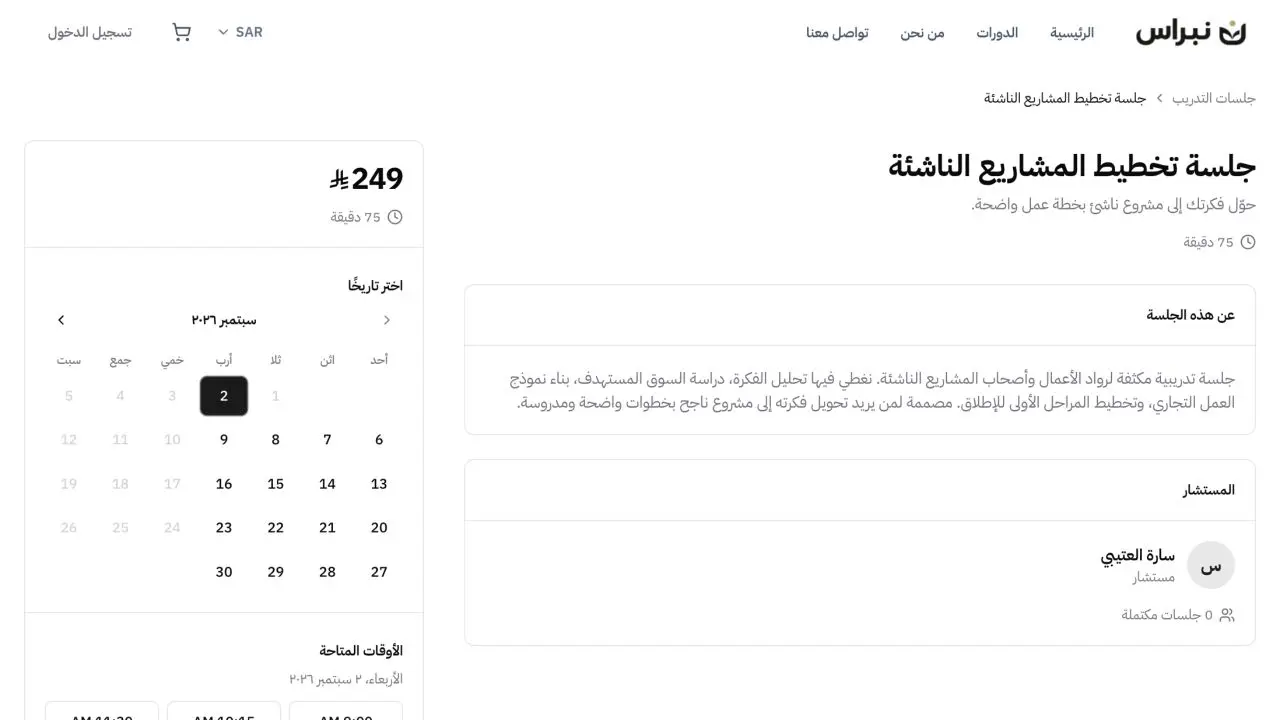
- A complete page for each sessionThe session description, consultant, price, duration and available times appear together before booking.
- Weekly availability under controlWorking days, available hours, session duration and the daily booking limit determine the times shown to clients.
- Payment connected to the appointmentPaid sessions continue from the selected time to checkout, with the booking recorded after payment.
- A meeting link with the bookingGoogle Meet creates a link for every confirmed appointment when the integration is connected.
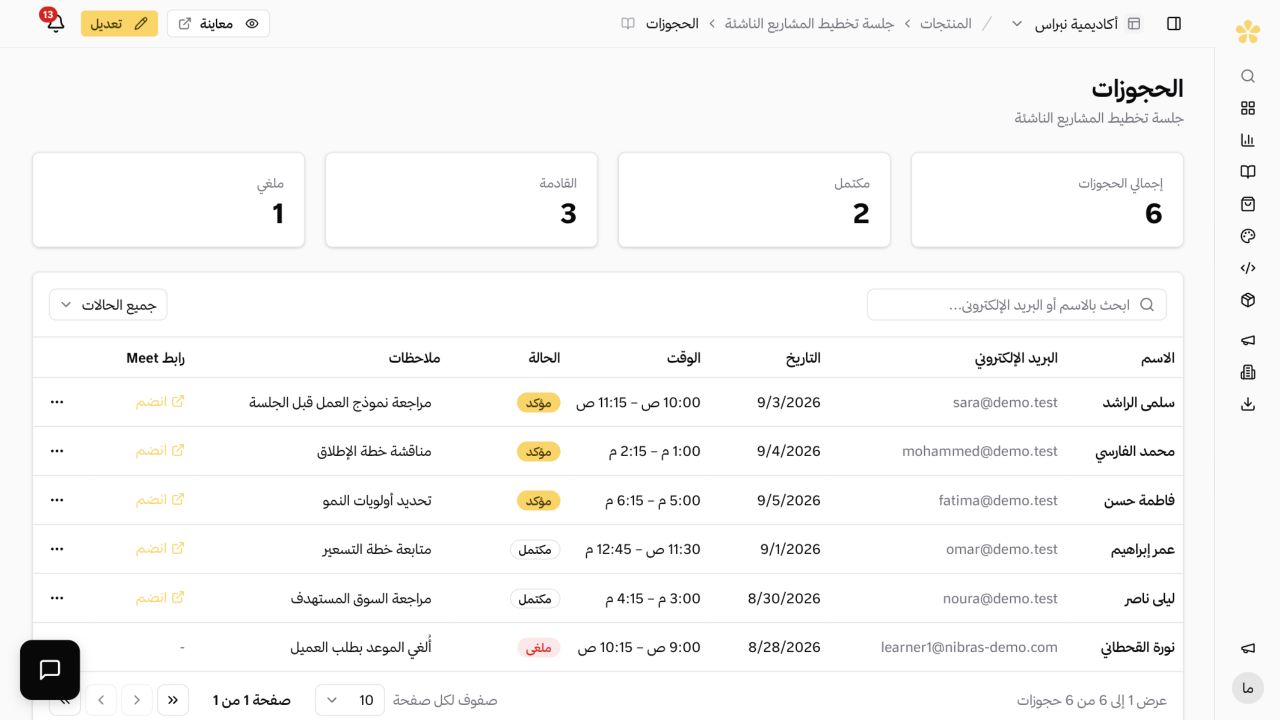
- Booking records ready for follow-upThe client, appointment time, status, notes and meeting link stay together in the bookings dashboard.
- Courses and memberships on the same storefrontRecorded courses, structured training programmes and recurring memberships can sit alongside individual sessions.
The booking journey in three stages
The process starts on the session page and ends with a complete booking record. The same path connects the available time, payment and appointment details.
 01
01The session details are clear before booking
The client sees the description, consultant, price, duration and available dates on one page before selecting an appointment.
- 02
The available time is selected before checkout
The calendar shows the remaining dates and times. The client selects a suitable appointment and adds an optional note before payment.
 03
03The appointment is ready for follow-up
The booking appears with the client name, date, time, status, notes and Google Meet link in the dashboard.
All bookings in one dashboard
The coach can review upcoming and completed appointments without a separate calendar or customer list. Each booking keeps the information needed before and after the session.
- Confirmed, completed and cancelled booking statuses
- Client notes and appointment details in the same record
- Google Meet links available with confirmed appointments
Frequently asked questions
- Can I sell sessions and courses from the same platform?
- Yes. Sessions, courses, memberships and digital products can be offered from the same storefront. Each product has its own page, price and access settings.
- How does a client book and pay for a session?
- The client opens the session page, selects one of the available times and completes payment for a paid session. The confirmed booking appears in the dashboard.
- Does each booking have a Google Meet link?
- Yes, when the Google Meet integration is connected. The link is created for the confirmed booking and appears with the appointment details.
- Can I control my weekly availability?
- Yes. Each session has its own duration, weekly working hours and an optional daily booking limit. Clients only see the times that remain available.
- Where can I follow up after a booking?
- The bookings dashboard shows the client, appointment time, status, notes and meeting link. The customer record also keeps their other purchases on the platform.
- Can the same storefront include training programmes?
- Yes. A coach can offer individual sessions alongside structured programmes, recorded courses and memberships from the same storefront.
Explore more of the platform
- Sell online courses
- Sell digital products
- Sell memberships and subscriptions
- An Arabic learning management system
- Build your website and its pages
- Learner communities
- For educators and training centres
- For creators building an audience
- For organizations and corporate training teams
- How selling a course actually works
- Compare Lymonah with other platforms
- Everything the platform does
- Payment, advertising and email integrations
- See pricing