A Custom Domain for Your Own Platform
Connect a domain you own, get HTTPS issued and renewed automatically, and keep every visitor on your brand from the first click to the checkout.
Start free
A domain is the difference between a business and a page on somebody else’s website. When a student types your name into a browser and lands on your address, everything that follows belongs to you: the trust, the traffic, and the search results built on top of it.
The alternative is the subdomain you were given. It works, and it costs nothing, and it quietly hands the strongest asset you are building to the platform that issued it. Every link anyone ever points at you accrues to their domain. On the day you move, none of it moves with you.
Connecting your own domain here takes a DNS record and a few minutes. The certificate is issued and renewed automatically, and from that point your academy is at your address, with the platform’s name nowhere in it.
What your own domain gets you
Four things, and only the first is cosmetic.
A brand people believe
Your name in the address bar, not a subdomain of a platform they do not know.
A checkout nobody hesitates at
One address from the sales page to the payment, with no jump to a stranger.
Search results you keep
Every link and every article builds your domain rather than somebody else’s.
The freedom to move
If you ever leave, the address, the links and the rankings come with you.
Connecting a domain, in three steps
- 01
Add the domain
Enter the address you own in your settings. Use the root or a subdomain, whichever suits you.
- 02
Point one DNS record
Add the record we show you at your registrar. It is a single value, copied once.
- 03
Wait for the certificate
HTTPS is issued automatically and renewed from then on. Your academy is live at your address.
What is included
No certificate to buy, no server to configure, and no annual renewal to forget.
- Your own domain, root or subdomain, connected from settings
- An SSL certificate issued automatically and renewed for you
- The storefront, checkout, login and academy all on your address
- Your logo, colours and fonts across every page
- Your own email sender identity for the messages you send
- Separate domains for separate academies from one account
- The platform’s name absent from what your students see
- Links and rankings that stay with you if you ever move
What lives on your domain
The domain is the address. These are the things that sit at it once it is yours.
Storefront pages built from ready-made blocks
Choose the blocks, adjust the design and publish the pages yourself. You control the content and appearance shown to buyers.
- Page builder with no code
- Your branding throughout
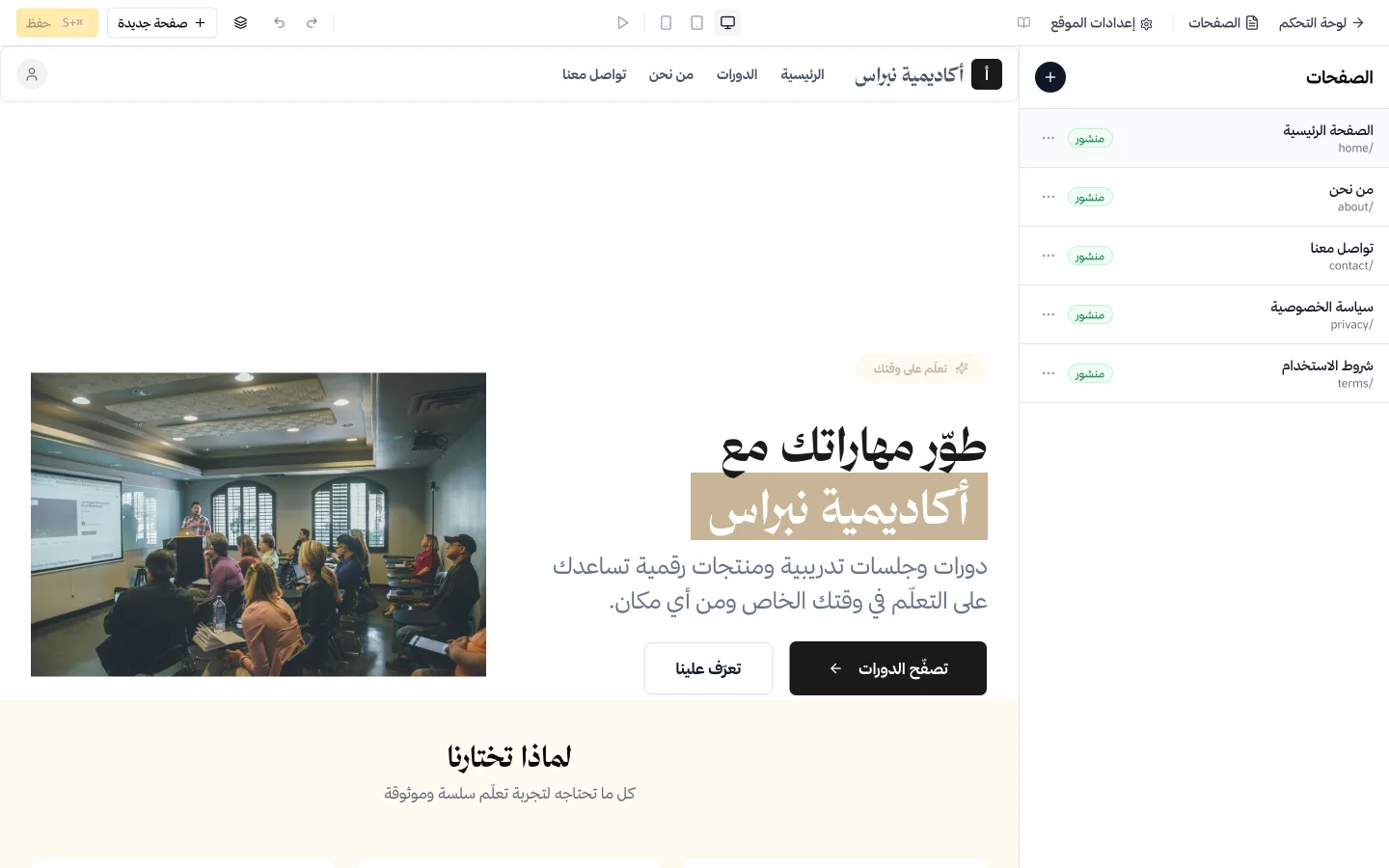
Sales pages built from ready-made blocks
Assemble a sales page for a course from around twenty ready blocks: hero, curriculum, instructor, testimonials, FAQ, counters, gallery, video and a call to action.
- No code, and no separate page builder to pay for
- Blocks for curriculum, instructor and testimonials
- Each page gets its own SEO title and description
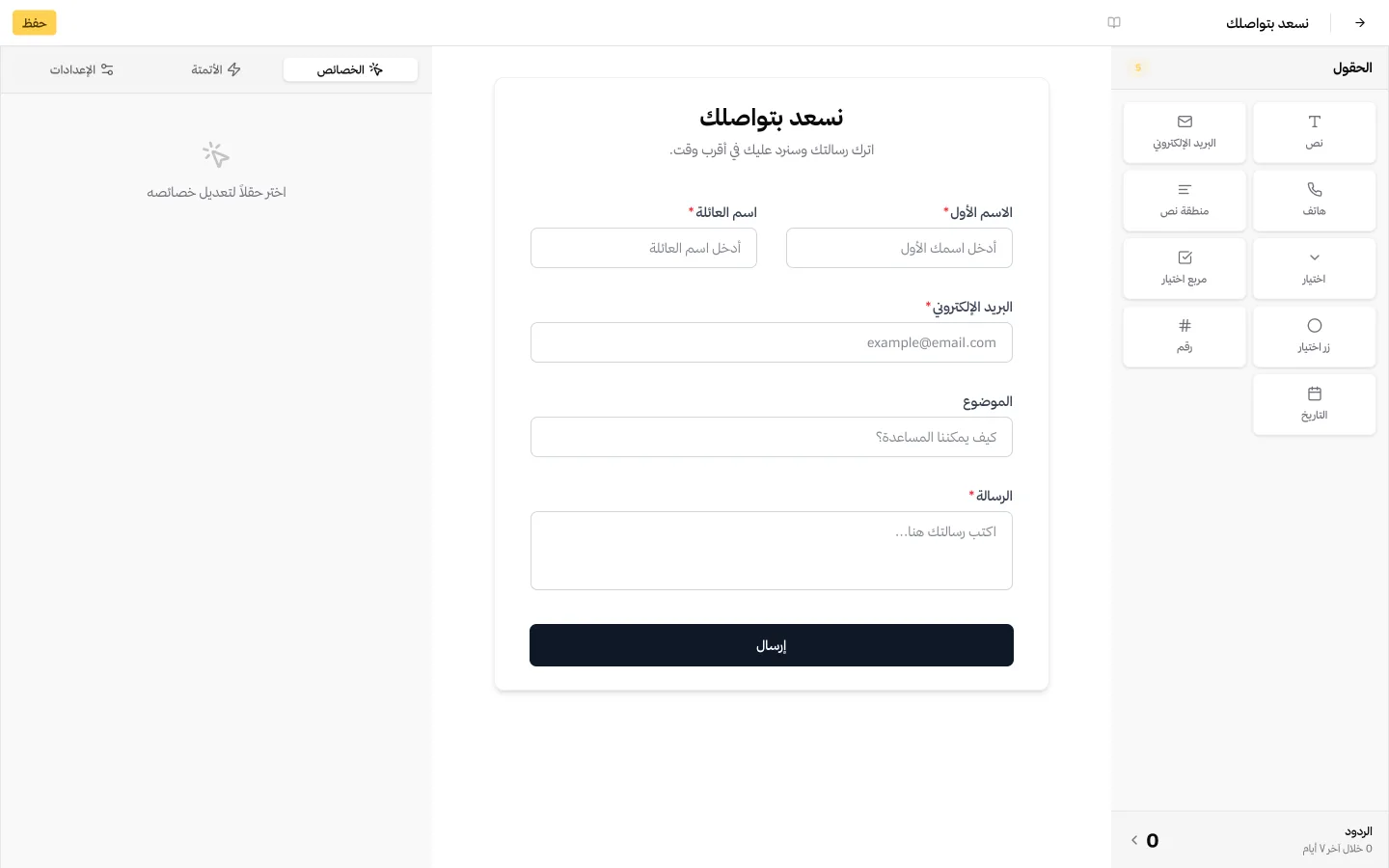
Forms that capture leads and start follow-up
Build a form from multiple field types, then decide what happens on submit: send an email, fire a webhook, or redirect. Submissions are kept and exportable.
- Text, email, phone, number, textarea, select, checkbox and radio
- On submit: send an email, call a webhook, or redirect
- Every submission stored and exportable
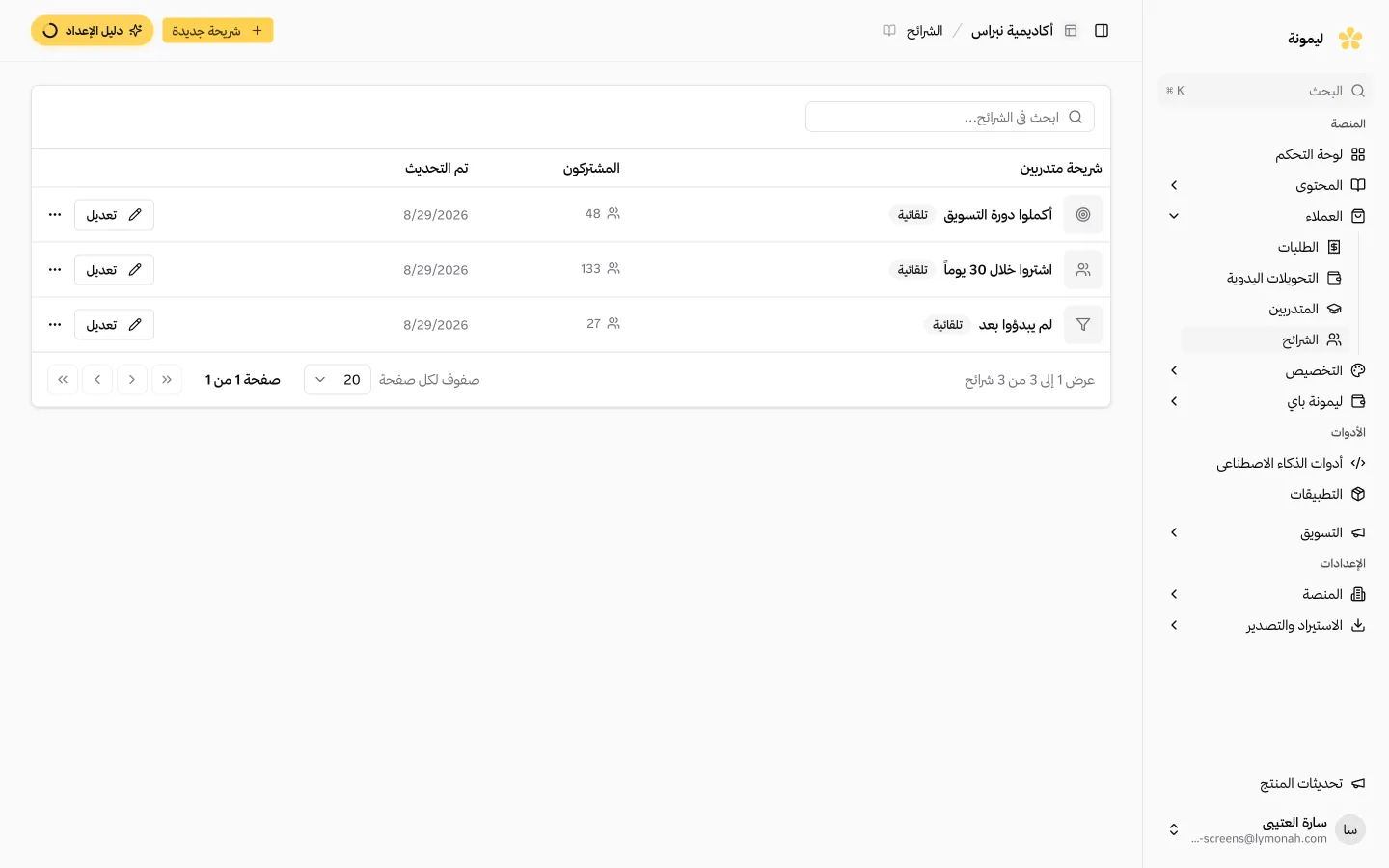
Segments built from customer activity
Group people by what they have bought, started or finished, then use segment entry to trigger the relevant follow-up. Membership refreshes as behaviour changes.
- Segments built from real purchase and progress data
- Membership updates itself, with no manual list keeping
Nobody leaves your brand to buy
The whole path stays on your domain: the storefront, the product page, the checkout, the login, and the academy the student sits in afterwards. There is no moment where the address bar changes to a company they have never heard of and asks for a card number.
That moment is more expensive than it sounds. A buyer who was ready hesitates when the name changes, and a hesitation at the checkout is a sale you do not get. Keeping one address from the first click to the last removes the question entirely.
The search results are yours to keep
Every article you publish, every sales page you write and every link somebody points at you strengthens the domain that hosts it. On a shared subdomain that strength belongs to the platform. On your own it accumulates for you, year after year, and it is the one marketing asset that gets more valuable the longer you leave it alone.
It also makes leaving survivable. If you ever move to something else, the domain moves with you, the links keep working and your rankings stay where they are. What you are really buying with your own domain is the right to change your mind later.
HTTPS handled, permanently
The SSL certificate is issued when you connect the domain and renewed before it expires, without you being told about it. There is nothing to buy, nothing to install and no annual reminder to miss.
This is the failure that catches people who host their own platform. The certificate lapses on a Friday, the browser shows every visitor a full-page security warning, and sales stop until somebody notices. Here it cannot happen, because renewal is not a task anybody has to remember.
One brand, or several
A training centre running academies for different clients, or a creator with two unrelated audiences, can keep them properly separate: a domain each, its own branding, its own learners and its own reporting, from one account.
That separation is what a corporate client actually asks for. They want the training their staff sit in to look like theirs, not like a supplier’s, and a subdomain with somebody else’s name in it is usually the end of the conversation.
Common questions
- Do I need to buy a domain first?
- Yes. You register the domain wherever you prefer and keep owning it. The platform connects to it rather than selling it to you, which is what keeps it portable.
- How long does connecting it take?
- The change on your side is one DNS record. It usually takes effect within minutes, though DNS can take longer to propagate depending on your registrar.
- Do I have to buy an SSL certificate?
- No. HTTPS is issued automatically when the domain connects and renewed before it expires. There is nothing to install and no renewal date to track.
- Can I use a subdomain like academy.mysite.com?
- Yes. A subdomain works exactly like a root domain here, which is the usual choice when you already have a main website you do not want to disturb.
- Will students ever see the platform’s name?
- No. The storefront, the checkout, the login and the academy all sit on your domain under your branding.
- Can I connect more than one domain?
- Yes, if you are running more than one academy. Each gets its own domain, branding, learners and reporting from the same account, which is how training centres serve several clients at once.
- What happens to my links if I leave?
- The domain is yours, so it points wherever you decide next. Your URLs keep working and the search authority you built stays with you rather than with us.
- Do I need a technical background?
- No. Adding the domain is a form, and the DNS record is a value you copy into your registrar. If you get stuck, support will walk you through it in Arabic.
Explore more of the platform
- Sell online courses
- Sell digital products
- Sell memberships and subscriptions
- An Arabic learning management system
- Build your website and its pages
- Learner communities
- For coaches and consultants
- For educators and training centres
- For creators building an audience
- For organizations and corporate training teams
- How selling a course actually works
- Compare Lymonah with other platforms
- Everything the platform does
- Payment, advertising and email integrations
- See pricing