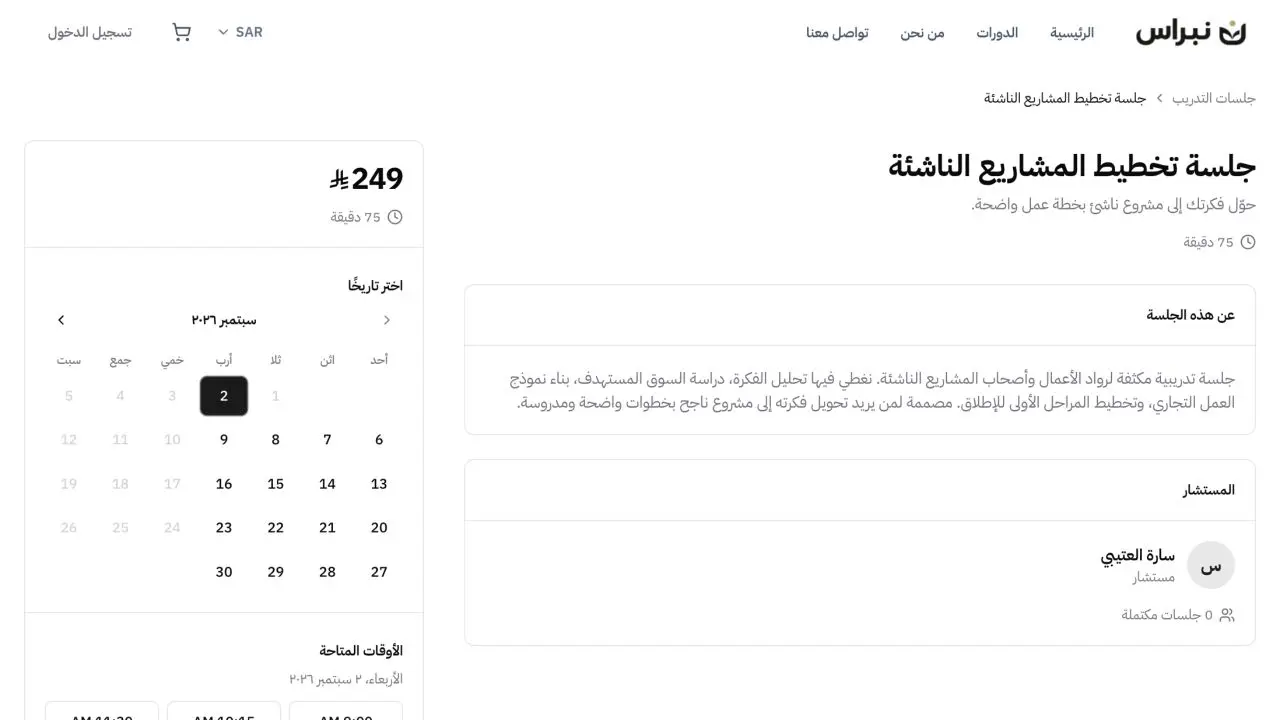
Bookings and Paid Sessions in One Flow
Available times, a confirmed appointment and payment from the same booking page. The client selects the right time and sees the session details before checkout.
7-day trialNo credit card required
“My experience as a customer with the Lymonah platform was excellent. They stood out with quick response, quality technical support, and effective technical solutions.”

Platforms running on Lymonah


From session setup to a confirmed booking
Four stages connect the session details, available times, booking page and booking records.
Session details and availability
Each session has its own duration, price and availability rules before it appears to the client.
- A separate session type for each offer
- Duration and price for every session
- Weekly hours and date-specific exceptions
- A daily limit when capacity needs control
Booking page and open times
The client sees the session details, selects an open date, then chooses one of the times still available.
- Session page inside the same storefront
- Dates calculated from the published availability
- Only open times shown to the client
- Times shown in the client’s timezone
Selected time and payment
The date, time and session duration are clear before the booking moves to the platform checkout for paid sessions.
- A selected time held in the booking flow
- Optional client note with the appointment
- Free sessions confirmed directly
- Paid sessions completed through the platform checkout
Booking records and follow-up
Every appointment stays connected to the client record, its status, note and meeting details in the dashboard.
- Upcoming, completed and cancelled statuses
- Client name, email and appointment time
- Booking notes beside the appointment record
- Google Meet links when the integration is connected
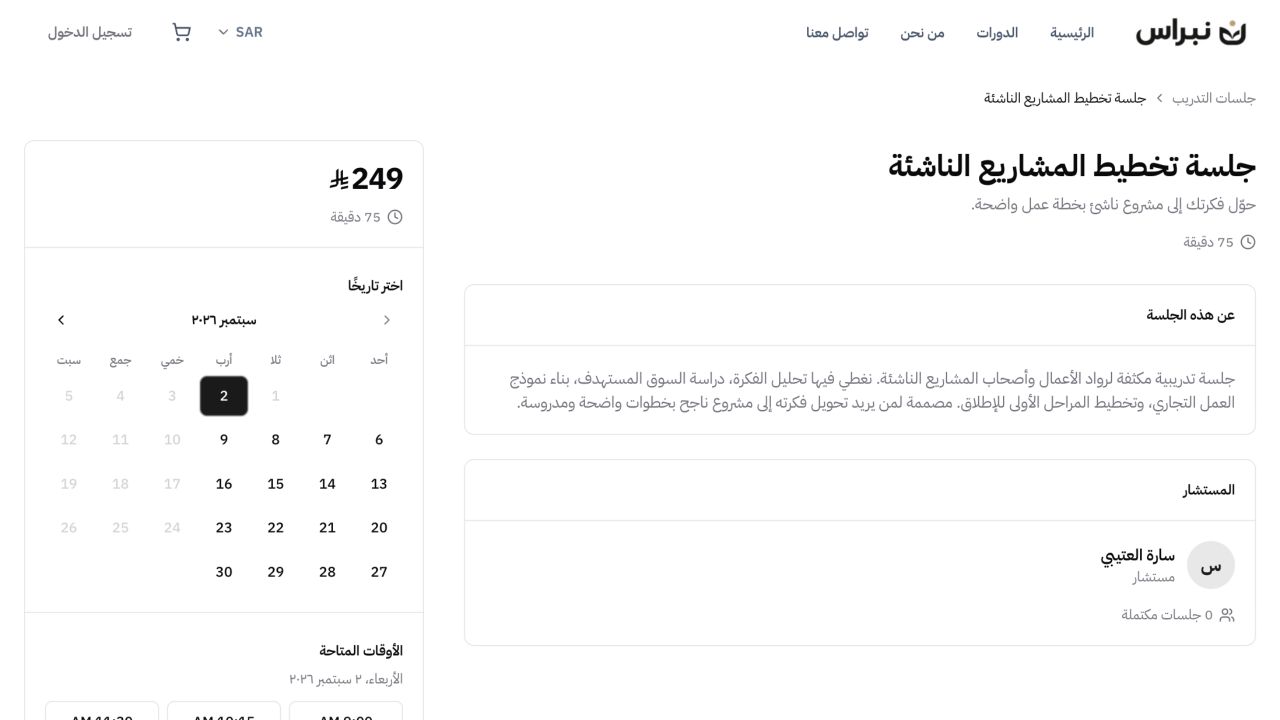
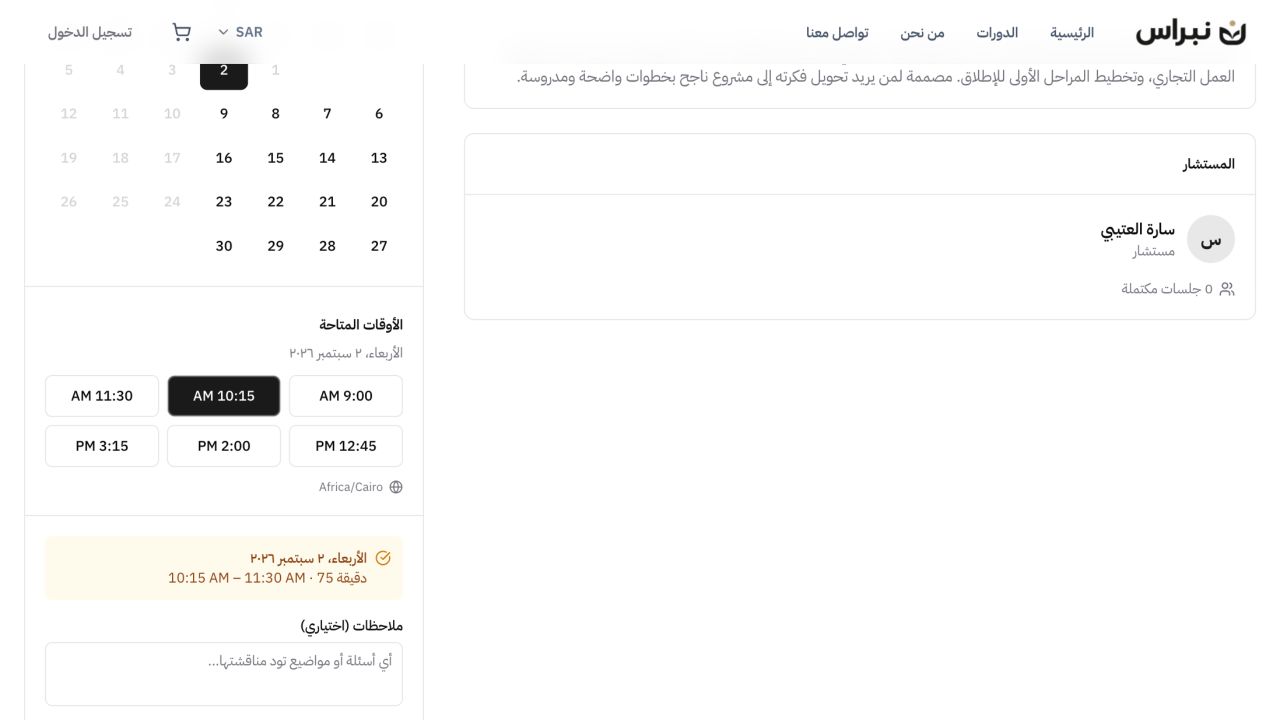
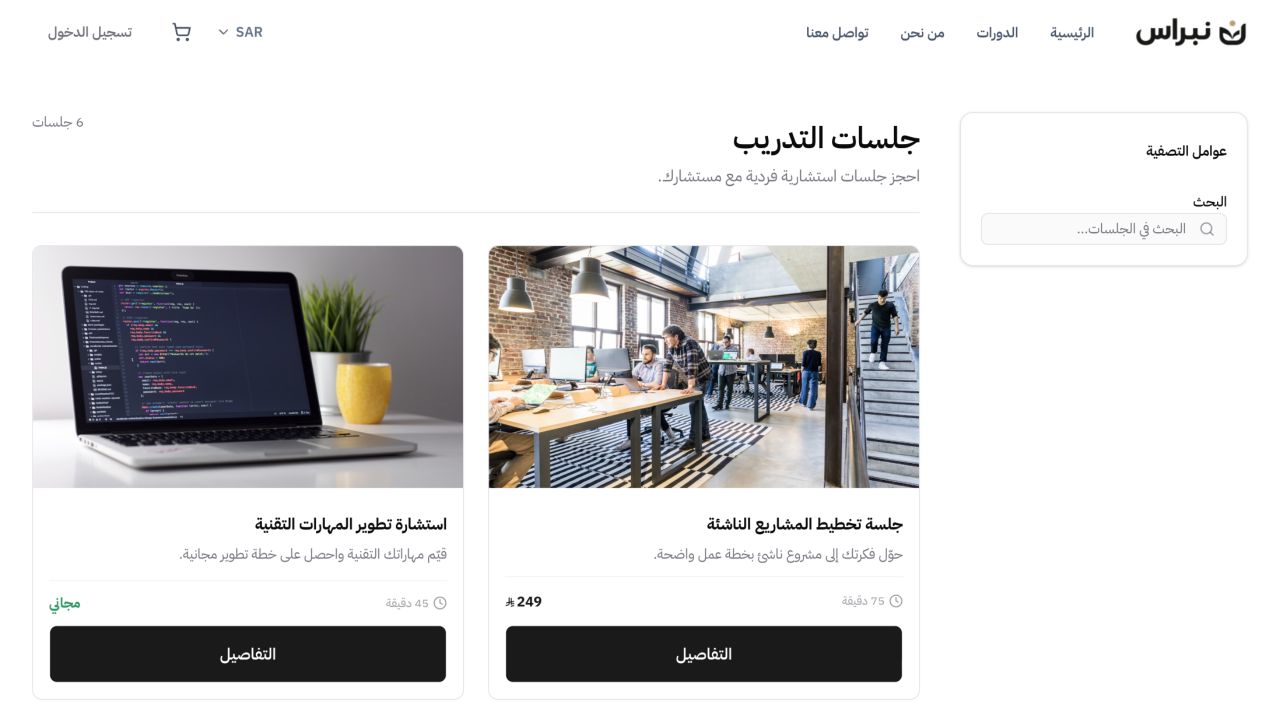
A session booking in three stages
- 01
Session setup and available times
Session duration, price and availability rules determine the times clients can see.
- 02
Date, time and payment
The client selects an open date and time, then completes checkout for a paid session.
- 03
Appointment details and booking records
The appointment note, status and meeting details stay connected to the client record.
Common questions
- How does a client book a session?
- The session page shows the available dates and times. The client chooses a time, can add a note, and completes the booking. A paid session continues to checkout, while a free session is confirmed directly.
- Can a client pay when booking?
- Yes. A paid session uses the same checkout as courses and products, with the payment methods enabled on the platform. The booking is confirmed after payment succeeds.
- What protects a time from double booking?
- The calendar shows open times only. When a time is taken before the booking is confirmed, that time is no longer available and the client selects another one.
- Which timezone does the client see?
- The booking page detects the client’s timezone and shows available times in it. The appointment confirmation uses the same timezone.
- How does a date exception work?
- A date exception removes a day or changes its hours without changing the weekly availability. Existing bookings affected by the change remain visible before it is saved.
Explore more of the platform
- Sell online courses
- Sell digital products
- Sell memberships and subscriptions
- An Arabic learning management system
- Build your website and its pages
- Learner communities
- For coaches and consultants
- For educators and training centres
- For creators building an audience
- For organizations and corporate training teams
- How selling a course actually works
- Compare Lymonah with other platforms
- Everything the platform does
- Payment, advertising and email integrations
- See pricing