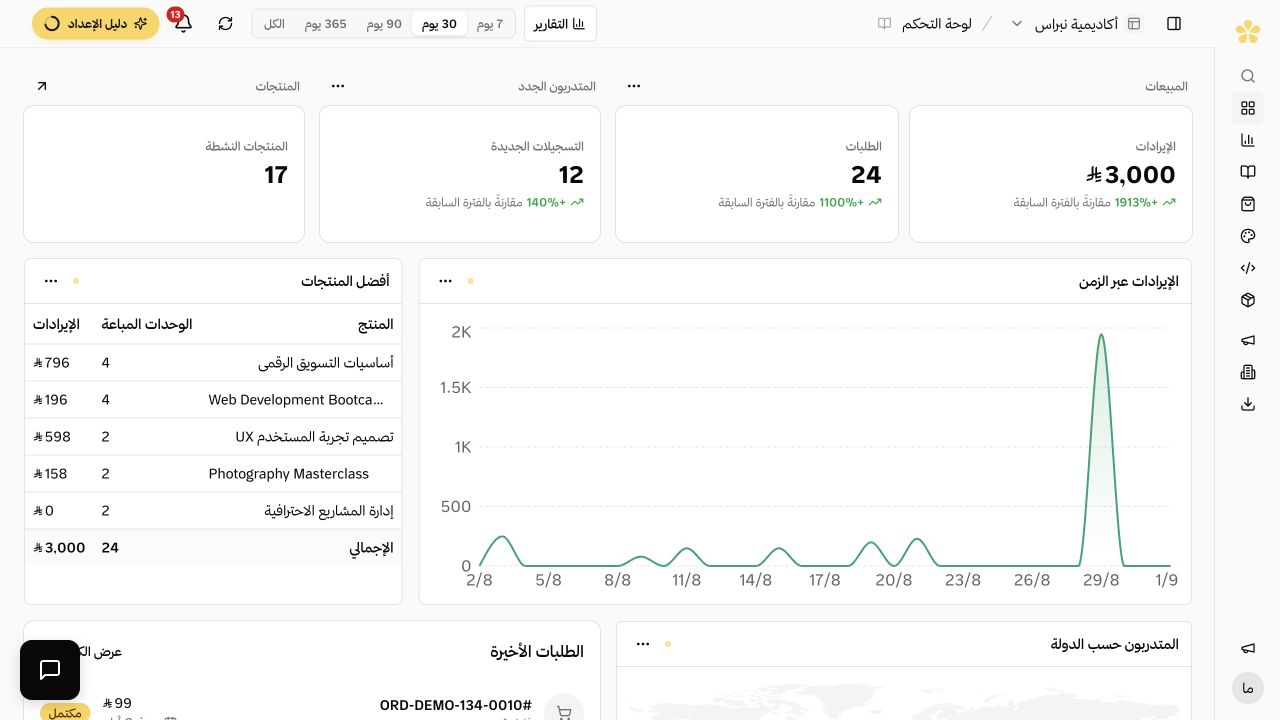
Platform features
Tools for Selling and Managing Your Platform
Products, sales pages, checkout, customers and reports work from one account.
A 7-day trial without a credit card.
Feature map
Platform tools grouped by the sales path
Each section explains what the customer sees, what you manage and what remains available after the sale.
01The customer experience
What the customer sees
The product page, price, checkout and account after purchase belong to the same platform.
02Product management
What you manage inside the platform
Courses, products, memberships, sessions, content and prices stay in one workspace.
- Course content organised into chapters and lessons
- Sales pages built from ready-made blocks
- One media library behind everything
- Video, text and files in the same lesson
- Memberships and subscriptions
- Bundles that combine multiple products in one offer
- Free preview lessons
03After payment
What happens after a successful payment
Lymonah records the order, gives the customer the right access and runs the related follow-up automatically.
- Automatic delivery as soon as payment succeeds
- Certificates you design once and issue automatically
- Automations that run without you
- Segments built from customer activity
- Coupons with flexible rules and limits
- Abandoned cart reminders
- Lymonah Pay, so you can sell before you have a gateway
04Sales follow-up
What you follow up after the sale
Orders, customers, product performance and marketing activity remain connected after each sale.
- Clear reports for your clients
- A customer list that stays yours
- Learner progress reports
- Team members with roles
- Export your data whenever you need it
- Forms that capture leads and start follow-up
- An affiliate programme, without another tool
- Connect your AI assistant to your platform
Questions about platform features
- Do I need separate tools alongside Lymonah?
- The platform includes product pages, checkout, payment connections, delivery, customer records and reporting. A separate tool is only needed when your workflow uses a service that is not connected to your account.
- Can one platform sell more than one product type?
- Yes. Courses, digital products, memberships and sessions can run from one account. Each product has its own price, page and access settings.
- Which features are available on each plan?
- The pricing page shows the included features and limits for every plan. Some advanced features depend on the plan or on an enabled integration.
- Does the customer need a separate account for every product?
- No. The customer uses one account on your platform. Purchases, access and booking details stay connected to that account.
Explore more of the platform
- Sell online courses
- Sell digital products
- Sell memberships and subscriptions
- An Arabic learning management system
- Build your website and its pages
- Learner communities
- For coaches and consultants
- For educators and training centres
- For creators building an audience
- For organizations and corporate training teams
- How selling a course actually works
- Compare Lymonah with other platforms
- Payment, advertising and email integrations
- See pricing