Protected Video Hosting for Your Courses
Lessons stream through a protected player instead of sitting behind a shareable link. Adaptive quality on weak connections, no plain download, and completion you can actually see.
Start free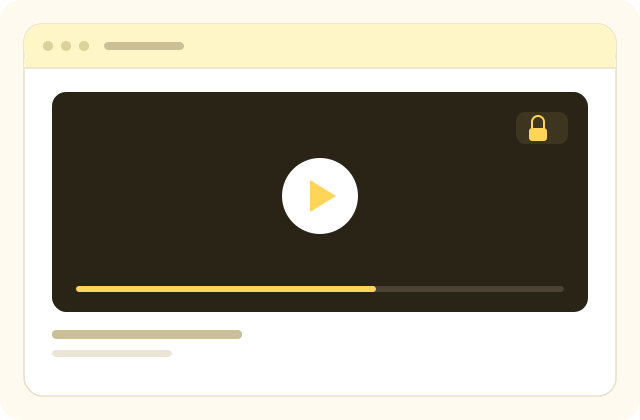
A recorded lesson is the most expensive thing you will produce and the easiest thing to copy. The moment it exists as a file with a link, it can be forwarded once and resold forever, and you find out from a student who mentions they already watched it somewhere else.
Most people discover this the ordinary way. They put the lessons on a general file or video service because it was free and it worked, then learn that a shareable link is exactly what those services are designed to produce. Nothing was hacked. The product simply did what it was built to do.
Video hosting for courses is a different job. The lesson has to reach a paying student on a slow connection without becoming a file anyone can pass on, and it has to tell you who actually watched it. That is what the player here is for.
What hosting course video has to cover
Four jobs. A general video service does the first one and leaves you the rest.
Deliver it reliably
Adaptive quality, so a weak connection lowers the resolution rather than stopping the lesson.
Keep it behind the payment
Access checked against the enrolment on every request, and revoked the moment a refund is issued.
Make it hard to pass around
Encrypted streaming with no plain file and no download link to forward.
Report on who watched
Per-student progress through every lesson, while the cohort is still running.
From a recording on your laptop to a lesson a student can watch
- 01
Upload the recording
Drop the file in. Encoding into several qualities happens in the background while you carry on.
- 02
Attach it to a lesson
Place it in the chapter it belongs to, add the text and files that go with it, and mark it a free preview if it is the one that sells the course.
- 03
Publish and watch the numbers
Students stream it through the protected player, and you see who finished it and who stopped.
What comes with the player
No separate video subscription, no bandwidth invoice arriving from a third party, and no plugin to keep updated.
- Encrypted streaming with no shareable file URL
- Automatic encoding into multiple qualities on upload
- Adaptive playback that follows the connection
- Access checked against the enrolment on every request
- A media library, so one upload serves several courses
- Free preview lessons you choose, open to visitors
- Per-student progress and completion for every lesson
- Playback that works on phones without an app to install
What sits around the player
Video is the part of a course that costs the most to make. These are the pieces that turn a set of recordings into a course somebody finishes.
Course content organised into chapters and lessons
Group lessons into chapters and order them so a learner always knows what comes next, with video, text and files in the same lesson.
- Chapters and lessons in the order you set
- Free preview lessons to open a course
One media library behind everything
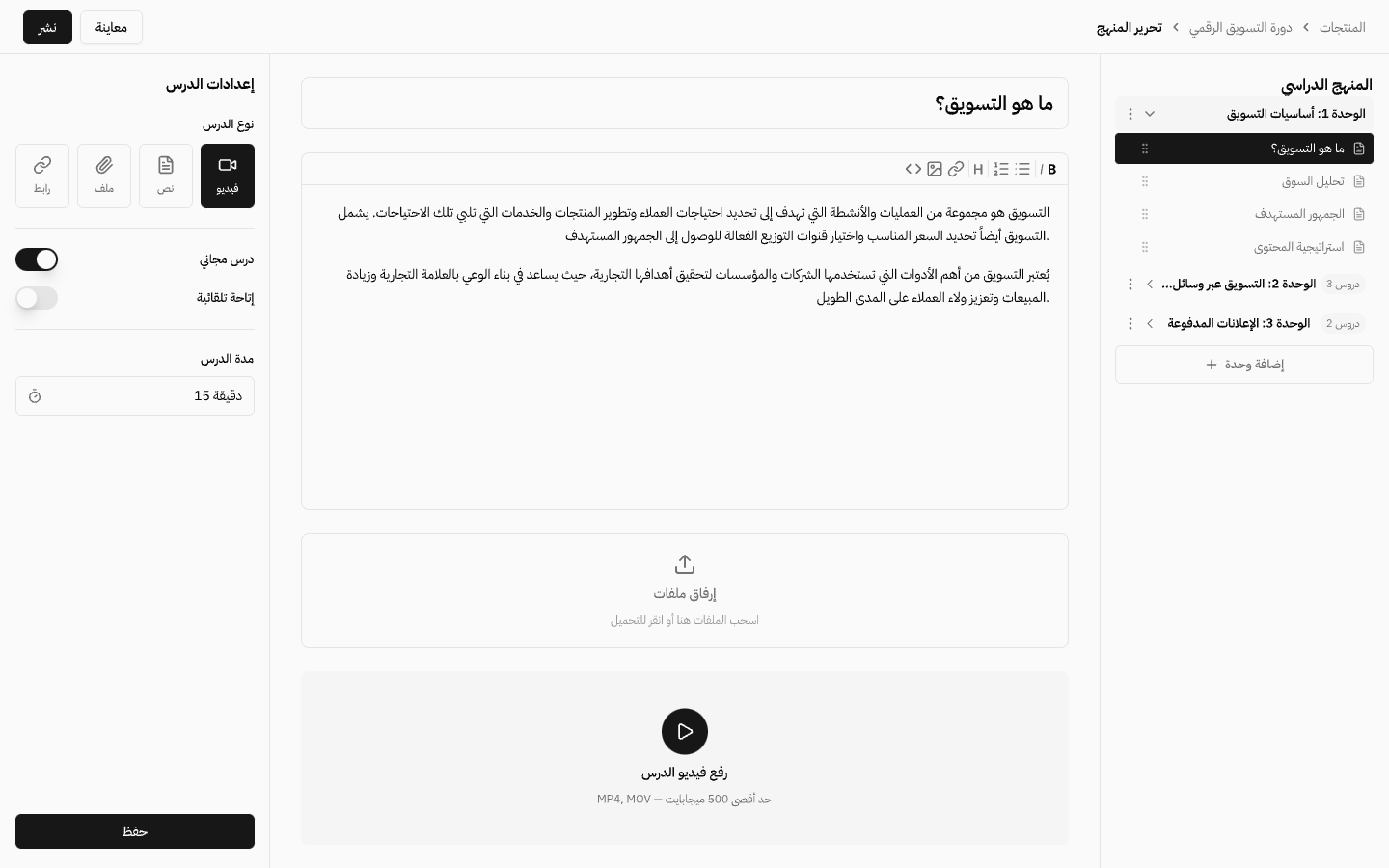
Upload a file once and use it in a lesson, a product, a blog post and a page block. Folders keep it findable, and every file shows you where it is currently in use before you replace it.
- Folders, search and browse in one place
- Reuse one upload across lessons, products, pages and posts
- See every place a file is used before you change it
- Video handled separately from documents and images
Learner progress reports
View completed lessons, quiz scores and where each learner stopped, so you can identify content that needs improvement.
- Per-learner progress and completion
- Quiz scores in the same view
Enrol a whole group at once
Import learners from a file and enrol them together so the entire group starts on the same date.
- Bulk import from a file
- Everyone starts on the same day
Streamed, not handed over
The player streams the lesson in small encrypted pieces rather than serving a single video file, so there is no plain URL to copy out of the page and no download button to press. A determined person with the right tools can still record a screen, and no platform on earth prevents that. What this does prevent is the ordinary case that costs you real money: one paying student passing a working link to a group chat of forty people.
Access is checked against the enrolment on every request, not once at the start. Revoking access after a refund takes effect immediately, rather than the next time somebody clears a cache.
Quality that follows the connection
Every upload is encoded into several qualities at once, and the player moves between them while the lesson is playing. A student on fibre gets the full resolution. A student on a phone in a moving car gets a lower one and keeps watching, instead of staring at a spinner and giving up on the course.
This matters more in Arab markets than the specification suggests. A meaningful share of your learners are on mobile data, sometimes shared, sometimes throttled after a threshold. A lesson that stalls is a lesson that does not get finished, and an unfinished course is a refund request waiting to happen.
Upload once, use anywhere
Uploaded videos go into a media library that belongs to the account rather than to a single lesson. The same recording can appear in a course, in a bundle and on a sales page without being uploaded three times or counted three times against your storage.
Replacing a video replaces it everywhere. When you re-record lesson four because the audio was bad, you swap the file in one place and every course carrying it is corrected, with no broken links left behind in the older cohorts.
Watching is a number you can see
Playback is tied to the student, so completion is a fact rather than a guess. You can see which lessons get finished, which one loses a third of the cohort halfway through, and which student stopped in week two and is heading for a refund unless somebody reaches out.
That last one is the practical use. Course completion is the strongest predictor of whether somebody buys from you a second time, and it is a number you can only act on if you can see it while the cohort is still running.
Common questions
- Can students download the lesson videos?
- No. Lessons are streamed in encrypted pieces rather than served as a file, so there is no plain link to copy and no download button. Screen recording is still physically possible, as it is on every platform, but the common case of a paying student forwarding a working link is closed.
- Do I need a separate video service like Vimeo or YouTube?
- No. Hosting, encoding, streaming and the player are part of the platform. There is no second subscription and no bandwidth bill arriving from somewhere else.
- What happens on a slow connection?
- The player drops to a lower quality and keeps playing rather than stopping to buffer. Each upload is encoded into several qualities and the player moves between them as the connection changes.
- Is there a limit on video length or file size?
- Your plan sets the storage you have. A single lesson can be as long as it needs to be, and large files upload directly without going through a small intermediate limit.
- Can I reuse the same video in more than one course?
- Yes. Videos live in a media library that belongs to your account, so one upload can appear in several courses and bundles. Replacing it updates every place it is used.
- Can I offer a free preview lesson?
- Yes. Mark any lesson as a free preview and it opens to visitors who have not bought yet, which is usually the fastest way to turn a sales page visitor into a buyer.
- Does it work on mobile?
- Yes, in the phone browser, with no app to install. The layout is right to left and the player controls are sized for touch.
- Can I see who actually watched a lesson?
- Yes. Progress is recorded per student and per lesson, so you can see completion for the cohort and identify the lesson where people stop.
Explore more of the platform
- Sell online courses
- Sell digital products
- Sell memberships and subscriptions
- An Arabic learning management system
- Build your website and its pages
- Learner communities
- For coaches and consultants
- For educators and training centres
- For creators building an audience
- For organizations and corporate training teams
- How selling a course actually works
- Compare Lymonah with other platforms
- Everything the platform does
- Payment, advertising and email integrations
- See pricing