Security controls in the product
Each control is something you can see or switch on in your dashboard, not a promise on a page.
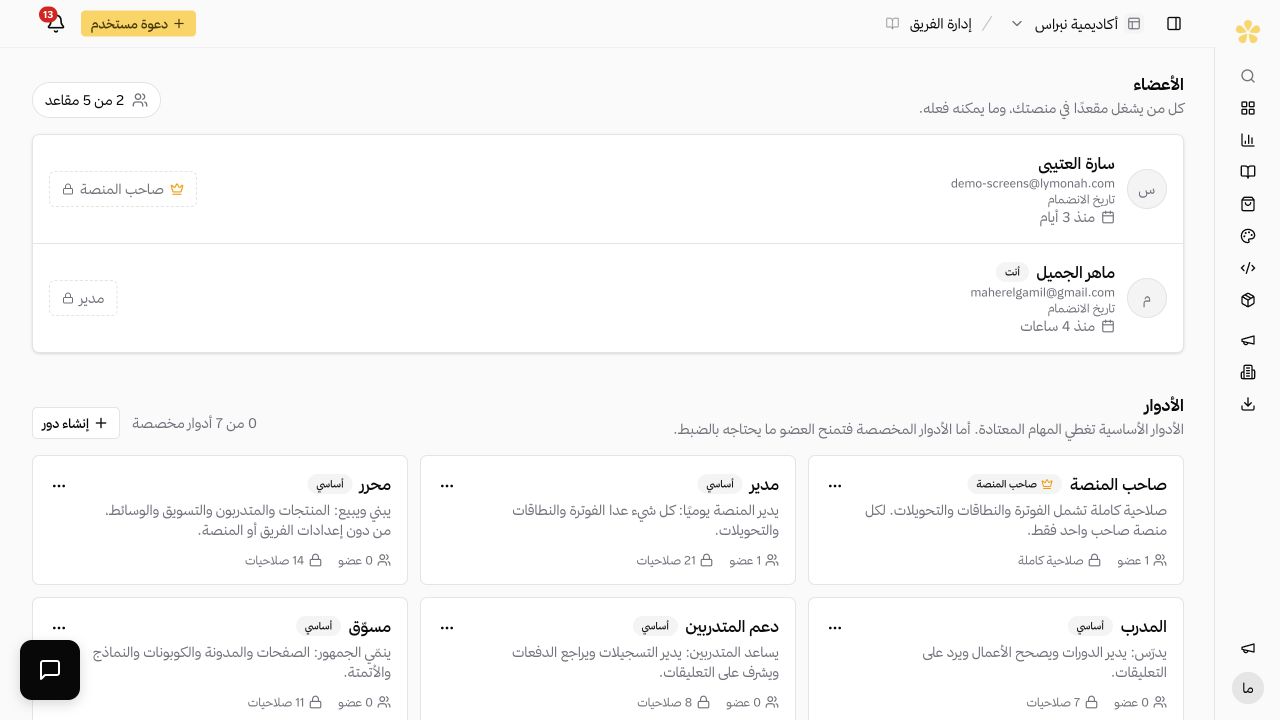
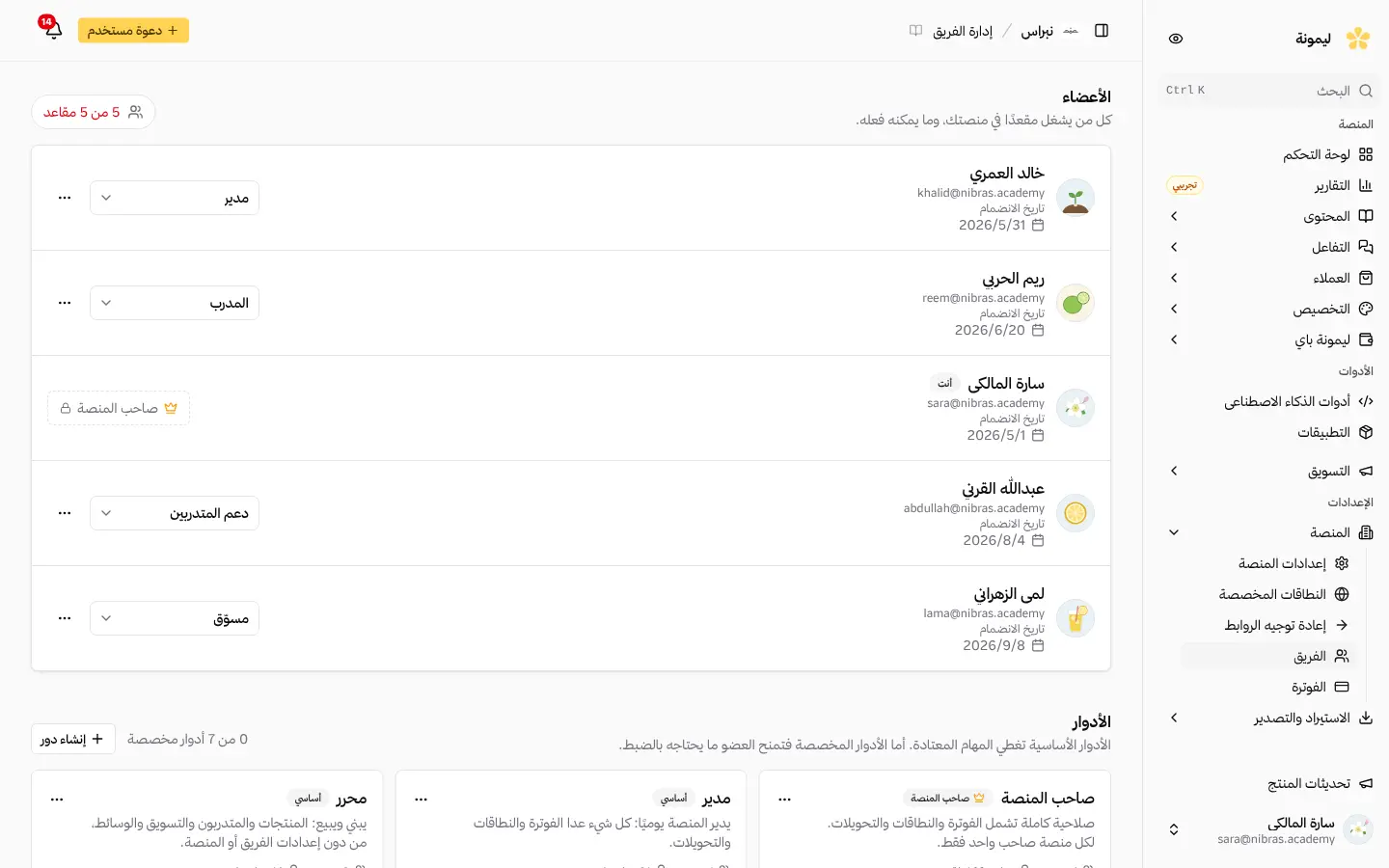
- Roles and permissionsEach team member holds a role that decides which areas they can open and change, from ready-made roles or custom roles on the plans that include them.
- An audit log of team changesInvitations, role changes and removals are recorded with who made them and when, on the team page.
- Two-factor sign-inTeam members and learners can protect their accounts with a second step from an authenticator app.
- Data separated by workspaceEvery record belongs to one workspace and every query is scoped to it, and each uploaded file is tied to the workspace that owns it.
- A protected edgeTraffic passes through a network firewall with rate limiting, the servers accept connections only from that network, and every domain, custom domains included, is served over HTTPS.
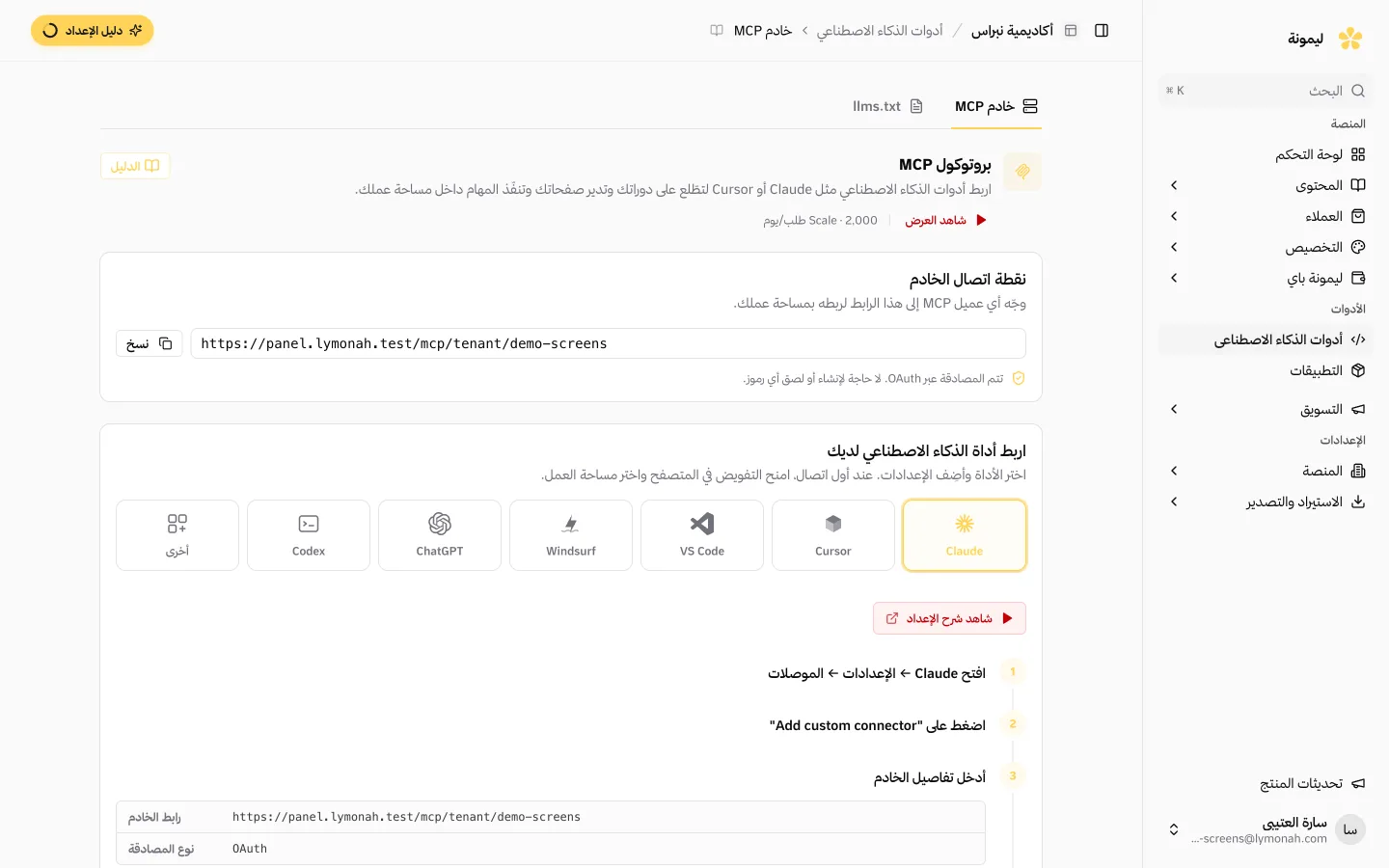
- Controlled AI access over MCPAn AI assistant connects through OAuth to one workspace you choose, acts only within its user’s role permissions, and every tool call is recorded.
How it works
Access controls from the team to the learner
The same controls apply whether the platform sells to the public or trains a company’s employees.
 01
Roles for the team
Trainers, support, marketing and administration each work within the permissions of their role.
 02
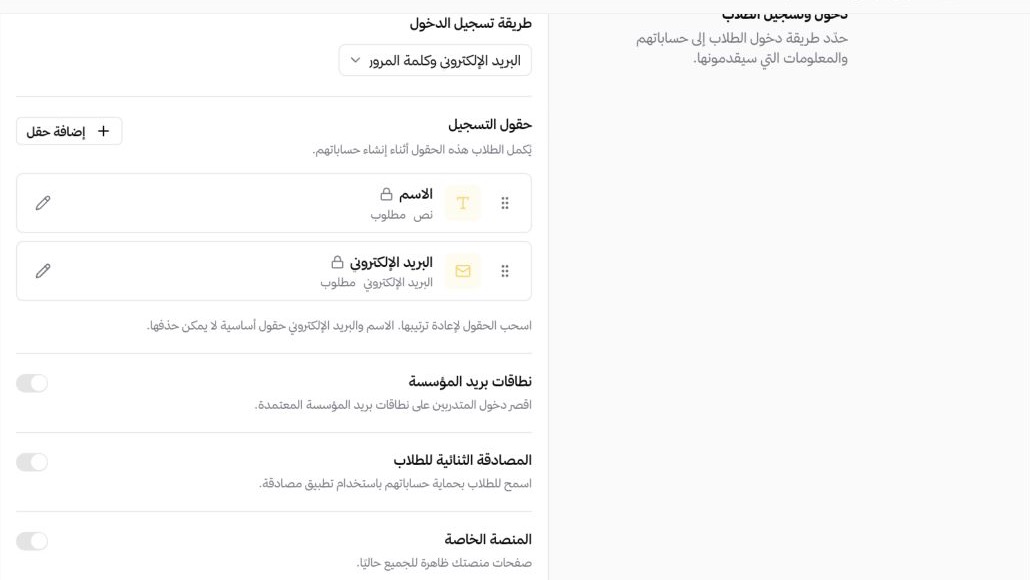
Sign-in rules for learners
You set the sign-in method and the required registration fields. On the enterprise plan, registration can be limited to approved email domains.
 03
AI access you approve
The MCP connection is approved through OAuth for one workspace, and you can revoke it at any time.
Control over learner accounts
Learners see the devices signed in to their account and can sign them out, and your team can sign a learner out of every device from the dashboard.
- A device list for each learner
- Sign-out from every device
- Password rules for learner accounts
Frequently asked questions
- Can one platform see another platform’s data?
- No. Each record is tied to its workspace, and the application scopes every query, file path, cache entry and background job to the workspace it belongs to.
- Who on our team can see learner data?
- Only members whose role includes access to learners. Roles are managed from the team page, and every change to them is recorded in the team audit log.
- Where is our data stored?
- We store primary data inside Saudi Arabia. Some data may be processed by providers outside the Kingdom for specific purposes, such as video delivery, email and payments, with appropriate safeguards. The data protection page has the details.
- Can we limit sign-up to our employees?
- Yes, on the enterprise plan: the platform can be made private, with registration limited to the company’s approved email domains.
- What happens to an AI assistant’s access when someone leaves?
- The assistant acts with its user’s permissions, so removing the member or changing their role changes what the assistant can do. The connection can also be revoked on its own.
Explore more of the platform
- Sell online courses
- Sell digital products
- Sell memberships and subscriptions
- An Arabic learning management system
- Choosing an LMS in Saudi Arabia
- Build your website and its pages
- Learner communities
- For coaches and consultants
- For educators and training centres
- For creators building an audience
- For organizations and corporate training teams
- For training centres training client teams
- Mandatory and compliance training
- Onboarding new employees
- Training for hospitals and clinics
- Training for government entities
- Compliance training for banks and insurers
- Training for retail and branch staff
- How selling a course actually works
- Compare Lymonah with other platforms
- Course platform fees compared
- Everything the platform does
- Payment, advertising and email integrations
- See pricing